Guava's direct athenahealth EHR integration automatically syncs patient records from your athenaOne account into the Guava Provider Dashboard and patient app, including labs, visit notes, documents, and medications, with no manual data entry required. Once connected, Guava layers in wearable data, patient-logged symptoms, and AI-powered insights to give providers a complete picture of each patient's health, between visits and beyond the chart. Documents and summaries can also be saved from Guava back to athenaOne.
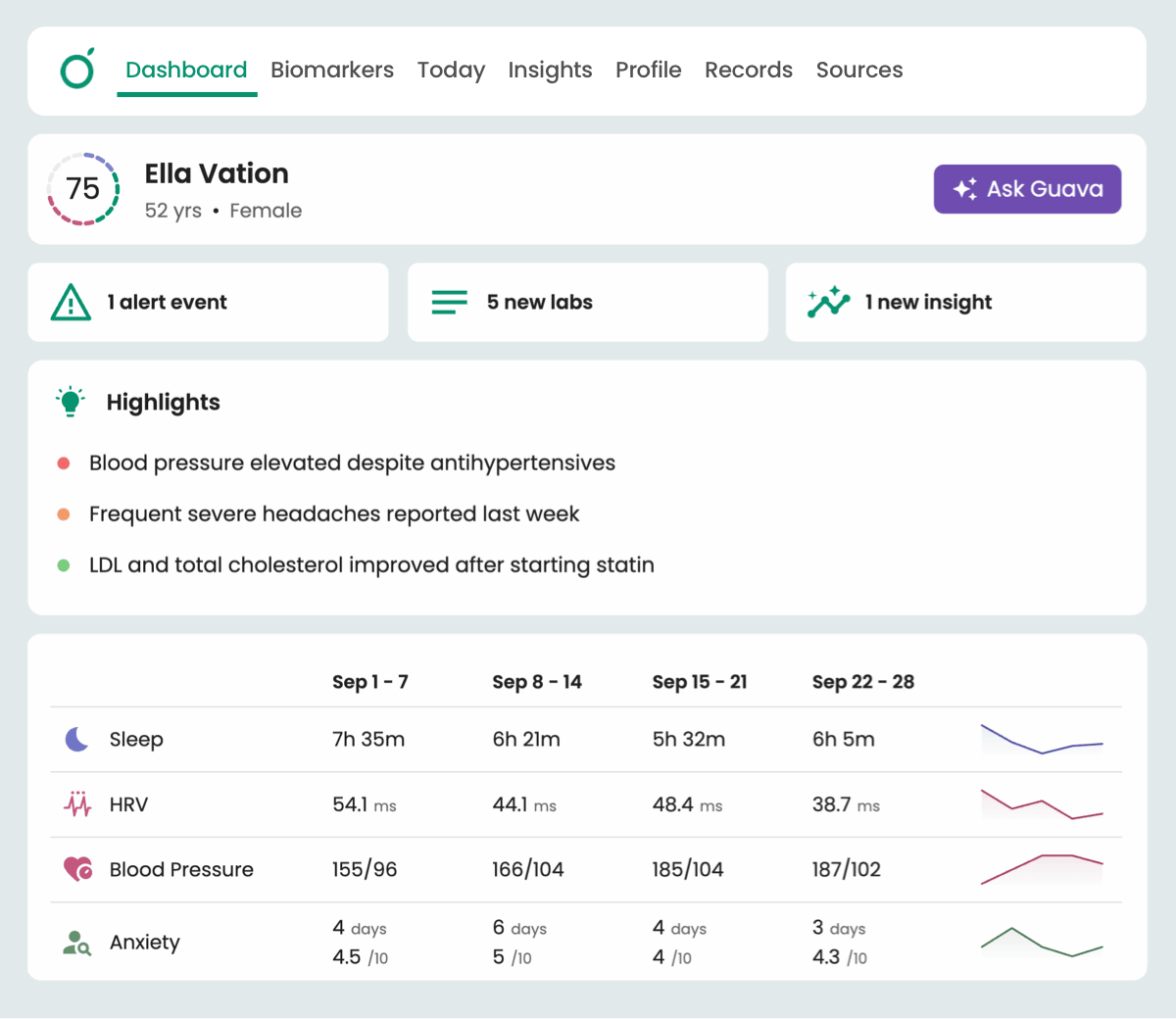
This guide explains what the athenahealth integration syncs, how to save Guava data back to athenaOne, how to set it up, and what to expect once patient data starts flowing.
Why Practices Connect athenahealth to Guava
Practices choose athenaOne because it runs the business of care well: scheduling, documentation, claims, and collections in one connected system. Guava builds on that foundation, pairing your athena chart with an engaging patient app and an AI-powered provider dashboard that brings each patient's full health picture into view, including everything happening between visits and outside your practice.
With the direct athenahealth integration, patient records from your athenaOne account sync automatically into both the Guava provider dashboard and the patient app. Labs arrive as clear, interactive charts; visit notes, documents, and imaging become searchable in seconds; and patients see the same organized picture their provider does, alongside their wearable data, symptoms, and daily habits.
View Guava on the athenahealth marketplace →
What Does the athenahealth Integration Sync?
The Guava athenahealth integration syncs the following patient record types from your athenaOne account into the Guava dashboard:
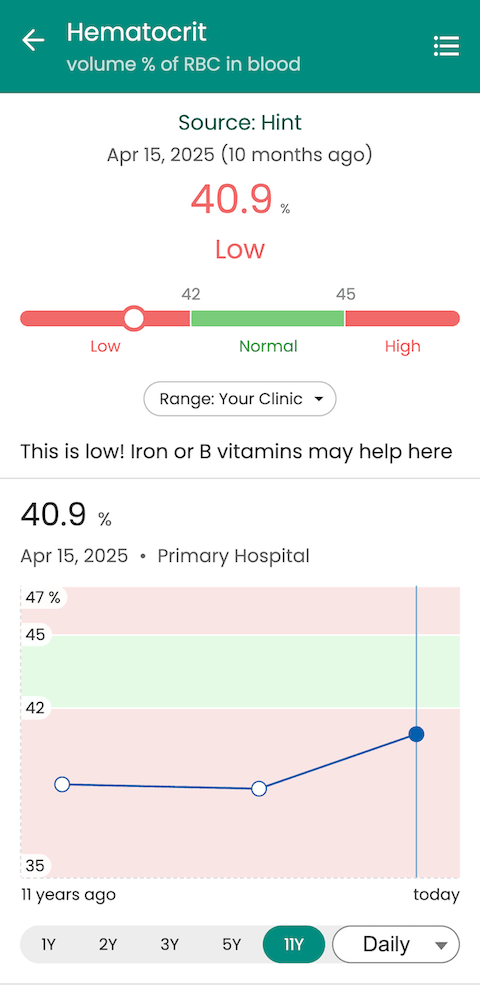
- Labs: automatically structured into interactive charts with trend views, even when results originated as PDFs or came from outside providers
- Visit notes: summarized by Guava AI and explained in plain language for patients
- Documents: organized and searchable across a patient's full history
- Medications and condition lists: kept current as your athena chart updates
Syncing is automatic. There is no manual export, no CSV uploads, and no duplicate data entry for your staff. When your team documents a visit in athenaOne, the record appears in Guava without additional action required.
Athenahealth Integration Paired with Patient-Connected Portals
The direct athenahealth integration described in this guide is a practice-level connection: your practice links its athenaOne account to Guava once, and records sync automatically for your patients from that point forward.
Separately, patients can connect their own patient portals from over 100,000 health systems inside the Guava app. This pulls in records from anywhere they have received care, including providers who have never used athena.
Most practices benefit from both approaches: the direct integration keeps your own charts in sync, while patient-connected portals surface outside EHR data that would otherwise be invisible to you.
Saving Guava Data Back to athenaOne
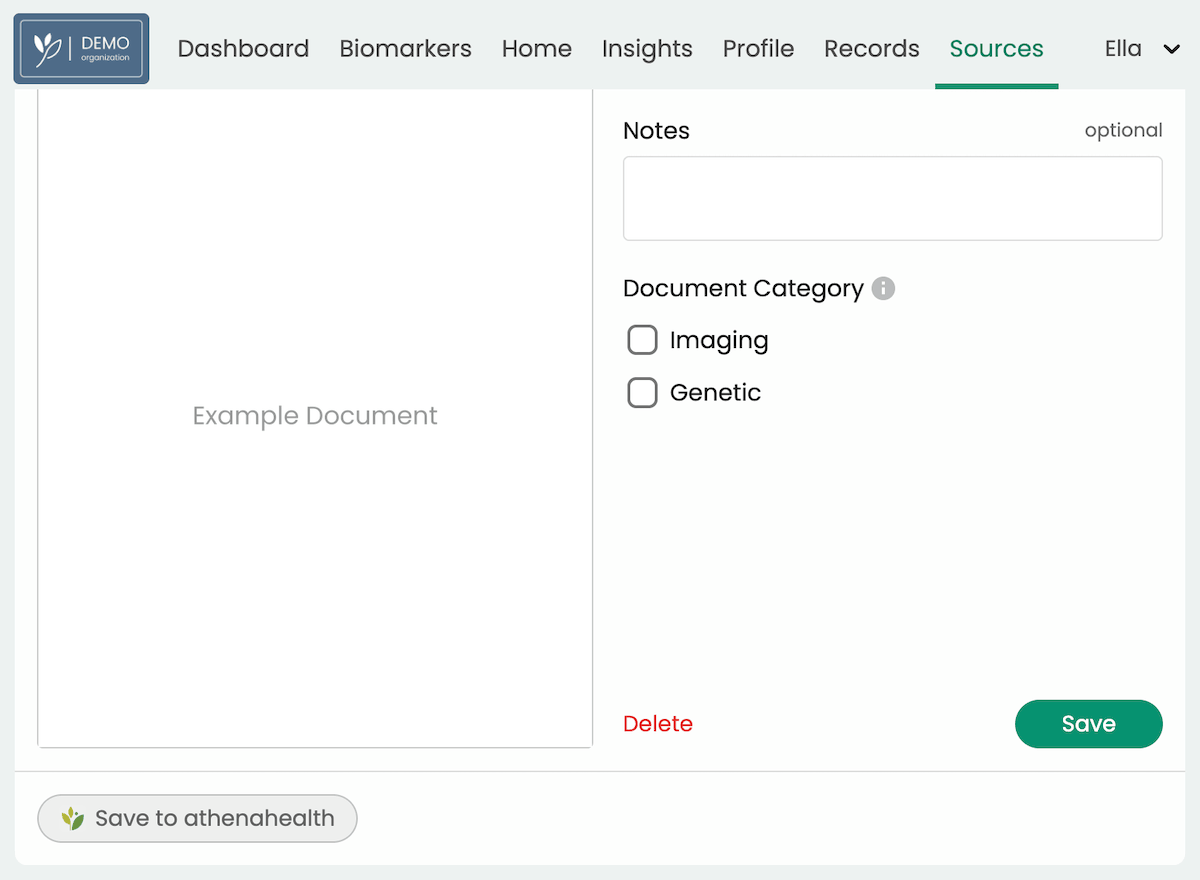
Documents sync between Guava and athenaOne in both directions. Documents in your athena chart continue to flow into Guava, and you can now save documents and summaries from Guava back to athenaOne. This gives data a seamless way to move across both platforms, and it means records Guava pulls in from other health systems can be stored in your athena chart too.
Nearly any data in Guava can be saved to athenaOne as a document, including:
- Records from other health systems: Labs and records that patients retrieve through their connected portals, stored in athena alongside the rest of their chart.
- Uploads: PDFs and images added by you or your patients, such as outside lab reports or imaging results.
- Wearable and patient-logged data: Sleep, activity, glucose, symptom logs, and other between-visit data that wouldn't otherwise reach your EHR.
- Notes and messages: Clinical context captured in Guava, which can be included in a summary and saved to the patient's athena chart.
For data that isn't already in a document, like wearable trends, symptom history, notes, or messages, generate a summary in Guava covering exactly what you need, then save it to athenaOne.
To save a document or summary, open the patient's profile in Guava and go to Sources. Upload a new document or select an existing document or summary, then select Save to Athena.
How to Set Up the athenahealth Integration
Setting up the athenahealth AI integration takes a few minutes and happens entirely inside your Guava Provider Dashboard.
- Log in to your Guava Provider Dashboard. If your practice does not yet have a Guava account, you can sign up here or request a demo to get started.
- Go to the Integrations tab and choose athenahealth from the list of supported integrations.
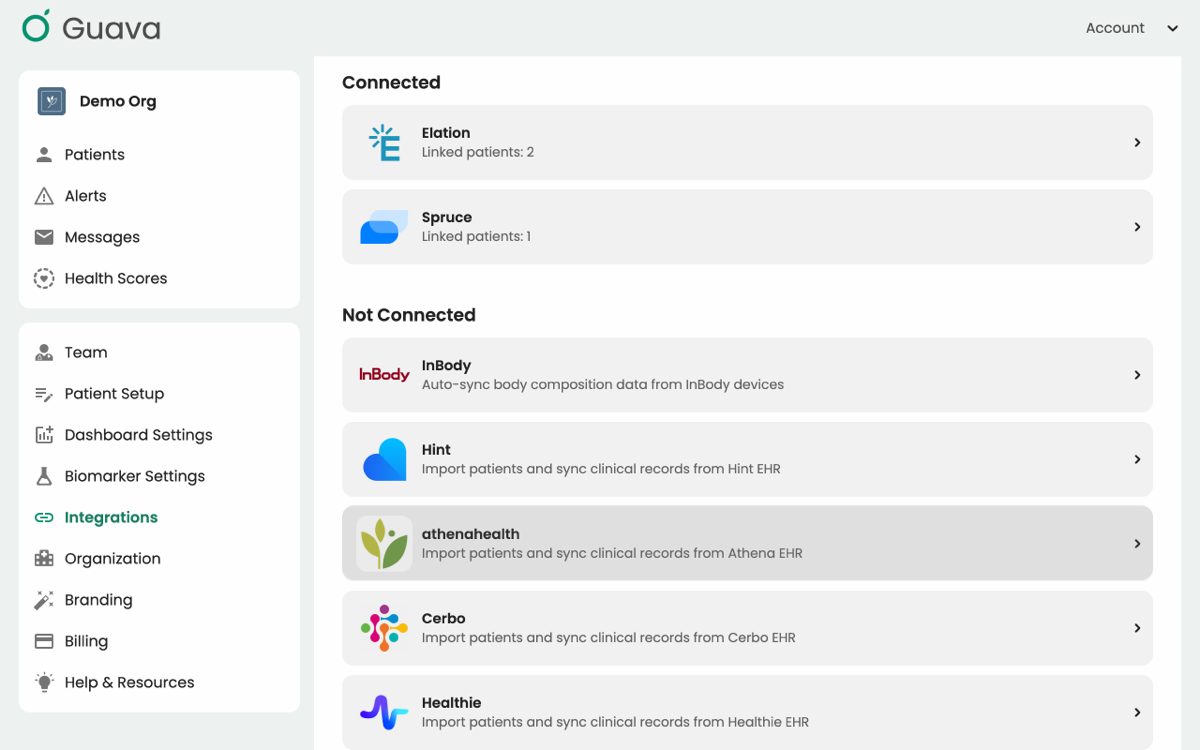
- Make sure you’ve activated billing in Guava.
- Follow the link to sign in to athena and complete the Authorization and Consent Form.
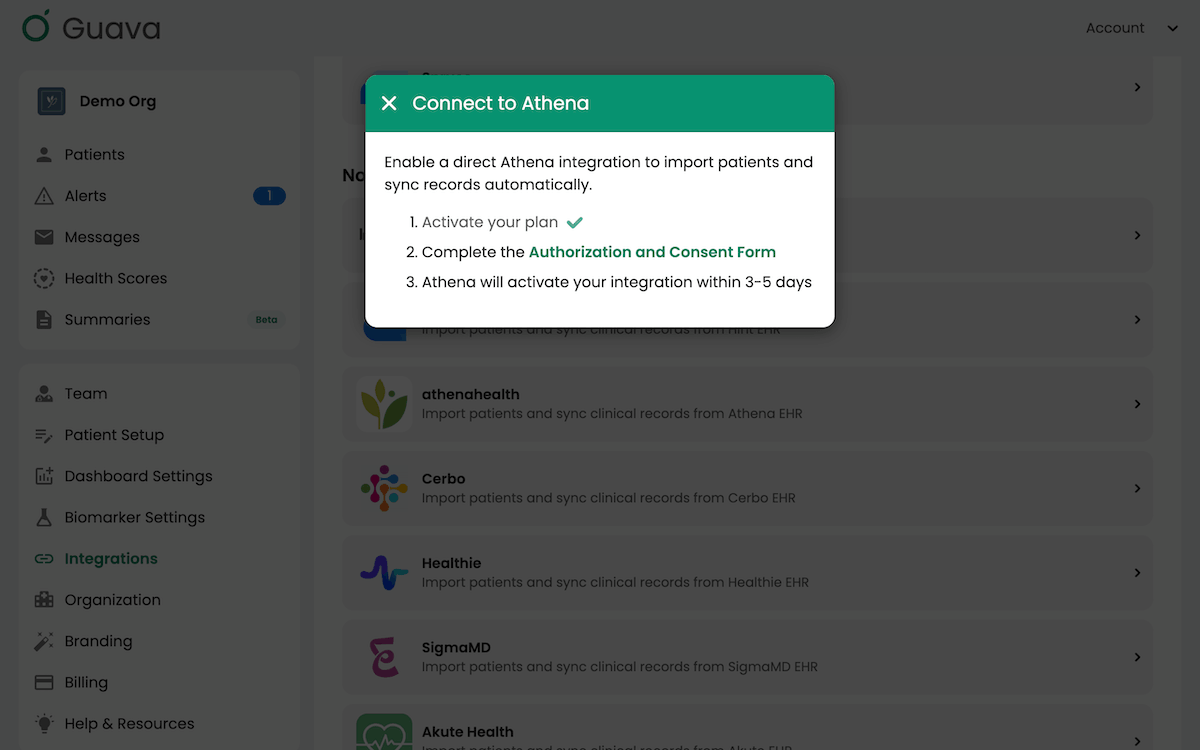
- Wait for athena to activate your integration. This should take 3-5 days, and you’ll be notified when the integration is active.
From there, invite patients to your practice's Guava workspace. Patients download the Guava app, accept your invitation, and immediately see their records organized and explained.
Troubleshooting: If an issue arises with the integration, feel free to use the feedback button in Guava or contact the Guava team for support.
What Guava Adds on Top of athenaOne
The athenahealth integration is not about replacing anything in your athena workflow. It is about what becomes possible once your chart data lives alongside everything else Guava collects.
Labs over time from historical data sources appear as normalized, graphed data points, whether from athenahealth, a document upload, or an external patient portal. In Guava, you can create custom lab groups, descriptions, and reference ranges to reflect your practice standards and protocols.
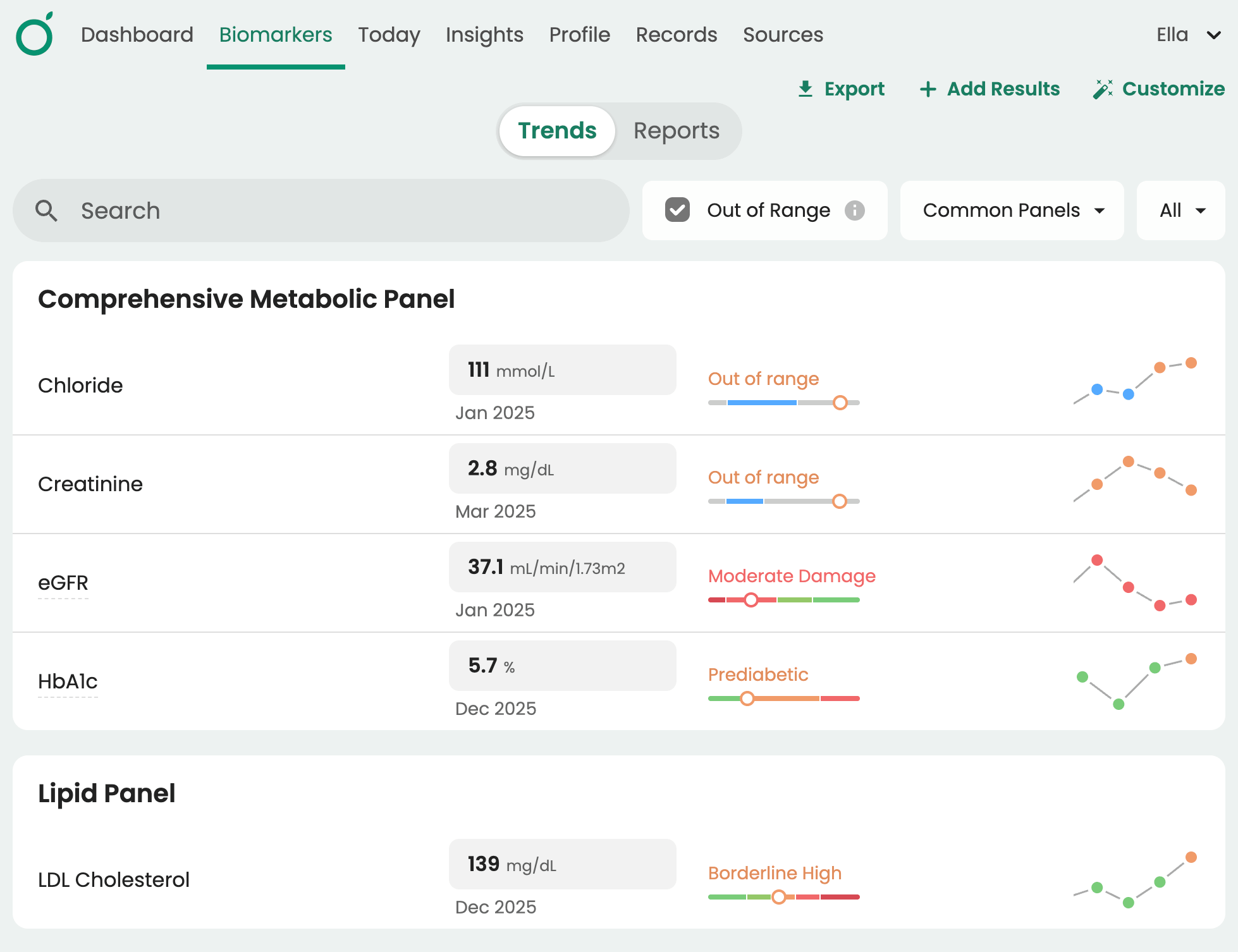
Learn more about lab data unification in Guava. →
Wearable and device data from Dexcom, Apple Health, Health Connect, Garmin, Oura, and more, charted in the same platform as your labs.
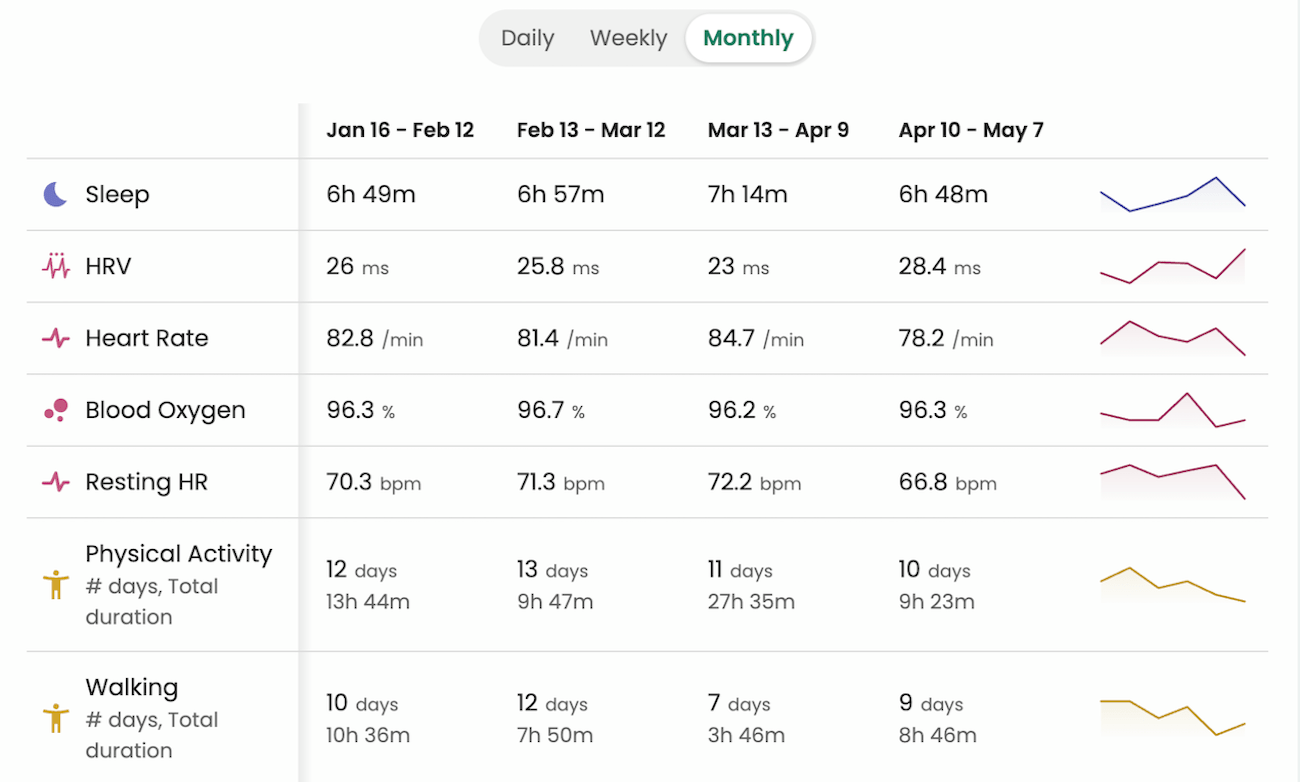
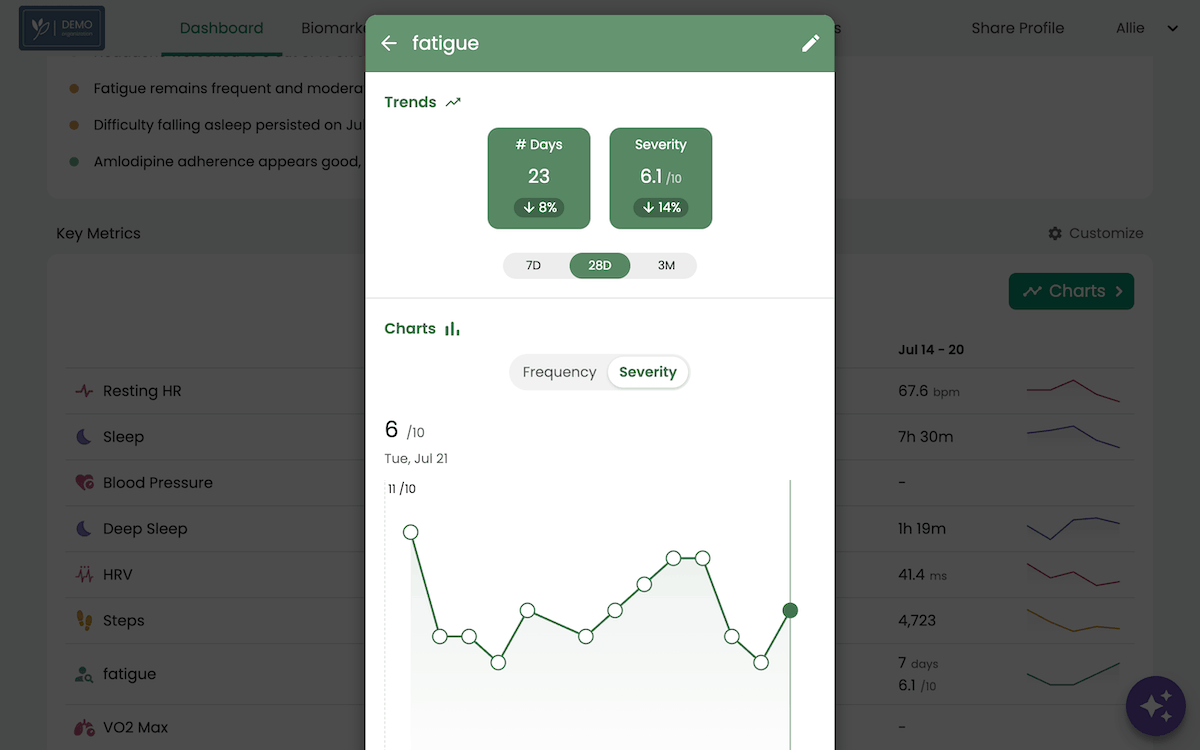
Patient-logged symptoms, medications, and lifestyle habits, giving providers a quantifiable view of each patient between visits alongside a top-rated patient app and experience
Guava AI, which surfaces trends, identifies correlations, and answers questions specific to each patient's history.
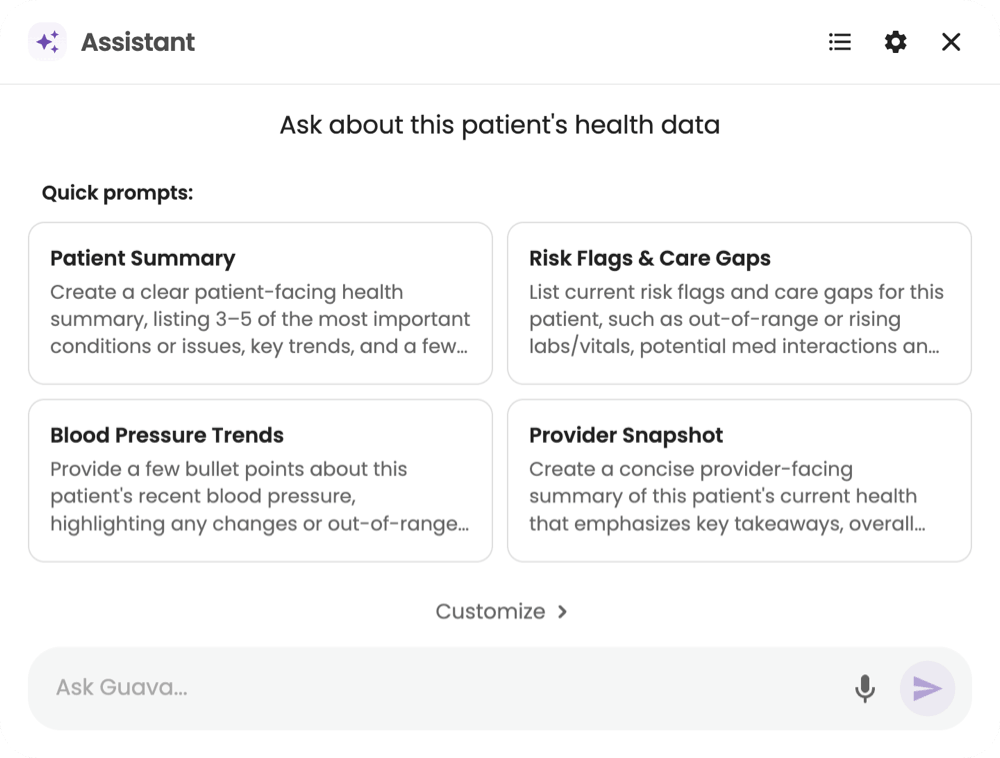
Learn more about AI tools for DPC practices in Guava →
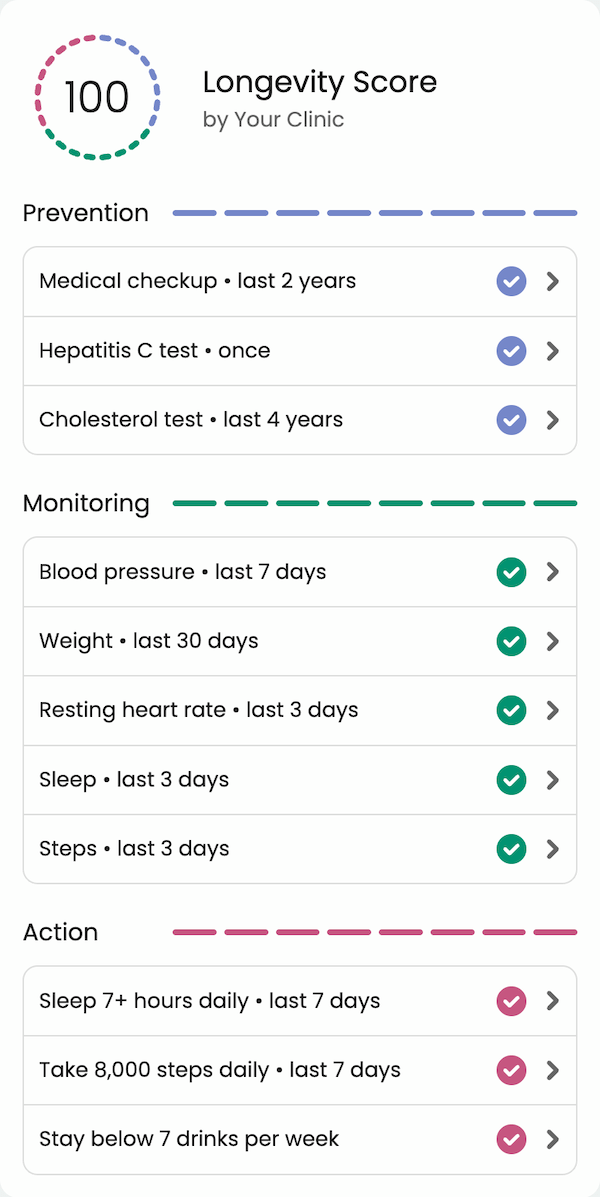
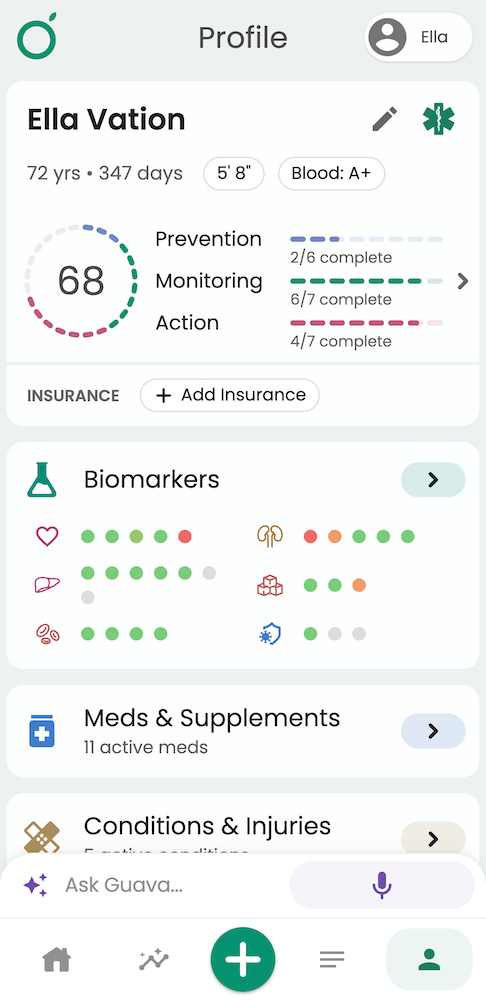
Custom health scores with preventive health tasks and reminders delivered directly to the patient app.
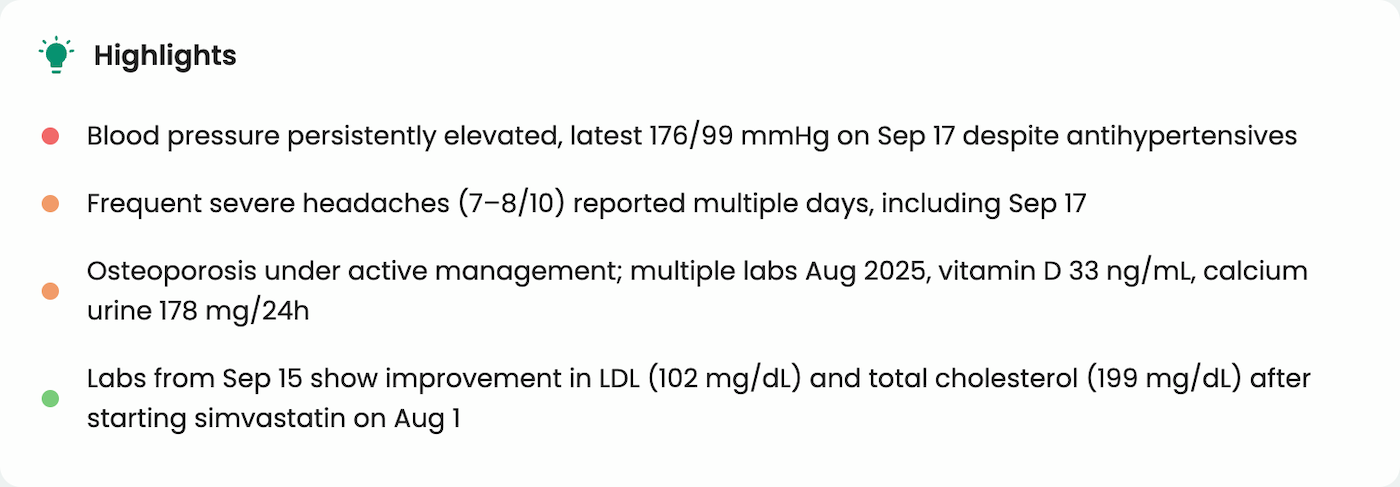
30-second patient highlights to flag out-of-range metrics, new patterns, and notable trends from anywhere the patient has received care or logged data.
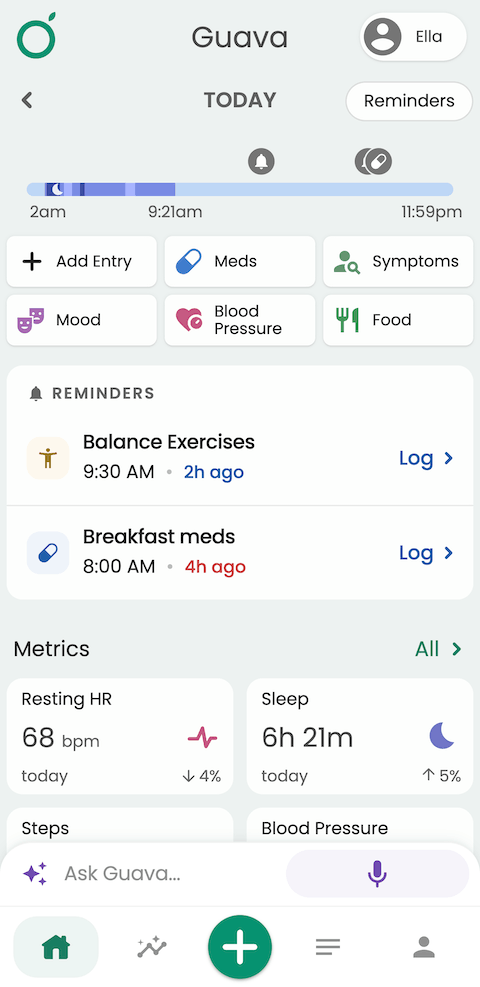
A highly rated patient app for viewing records and logging meds, symptoms, and lifestyle data between visits. Over 200k patients already manage their health on Guava. Connecting with your practice links that data to their care.
For DPC, concierge, and functional medicine practices, this is the layer that turns a visit-based relationship into a continuous one.
Privacy and Security
Guava follows HIPAA, GDPR, and applicable federal and state law. Guava does not sell your or your patients’ data and will never share it without explicit permission.
Read more at guavahealth.com/privacy-and-security.
Frequently Asked Questions
Does Guava integrate with athenahealth?
Yes. Guava offers a direct integration with athenaOne that automatically syncs patient records, labs, visit notes, and documents into the Guava provider dashboard and patient app.
Does the athenahealth integration replace athenaOne?
No. Guava works alongside athenaOne. Your practice continues using athena for scheduling, documentation, and billing, while Guava adds a patient-facing app, wearable integrations, and an AI-powered view of each patient's complete health picture.
What athenahealth data appears in Guava?
Labs, visit notes, documents, and medications sync from your athenaOne account. Guava structures labs into interactive charts and makes all records searchable across a patient's full history.
Can Guava save data back to athenahealth?
Yes. Documents and summaries can be saved from Guava to athenaOne, including records patients retrieve from other health systems and patient uploads. To share wearable data, symptom logs, notes, messages, or other patient data, generate a summary in Guava and save it to athena. Open the patient's profile, go to Sources, select the document or summary, and select Save to Athena.
Do patients need to download the Guava app?
Patients get the most value from the Guava app, which they can download on iOS or Android, or use on the web. This is where they can view organized records, connect wearables, log symptoms, and follow protocols assigned by their provider. Providers can use the Guava Provider Dashboard regardless of whether every patient has signed up for Guava.
Is there a cost to enable the athenahealth integration?
In order to activate the Guava-athenahealth integration, billing must be activated. The Provider Dashboard starts at $90/mo for up to 15 patients, with additional patients being $6/mo. Bulk discounts (up to 50% off) are available for larger practices as well.
Can Guava pull in records from health systems outside athenahealth?
Yes. In addition to the direct athenahealth EHR integration, patients can connect their own portals from over 100,000 facilities inside the Guava app, including Epic, Cerner, NextGen, and many others. This means providers can see care received anywhere, not just within your practice.
Is Guava suitable for DPC and concierge practices?
Guava is particularly well suited to DPC, concierge, and functional medicine practices, where continuous patient relationships matter. The combination of the athenahealth integration, wearable data, and Guava AI allows these practices to monitor patient health between visits, not just during them.
Get Started
Ready to see your athena records in a new light? Schedule a demo or sign up for the Provider Dashboard to explore how practices like yours use Guava to deepen patient relationships.
Your patients can also sign up for the Guava app on iOS, Android, or the web today.