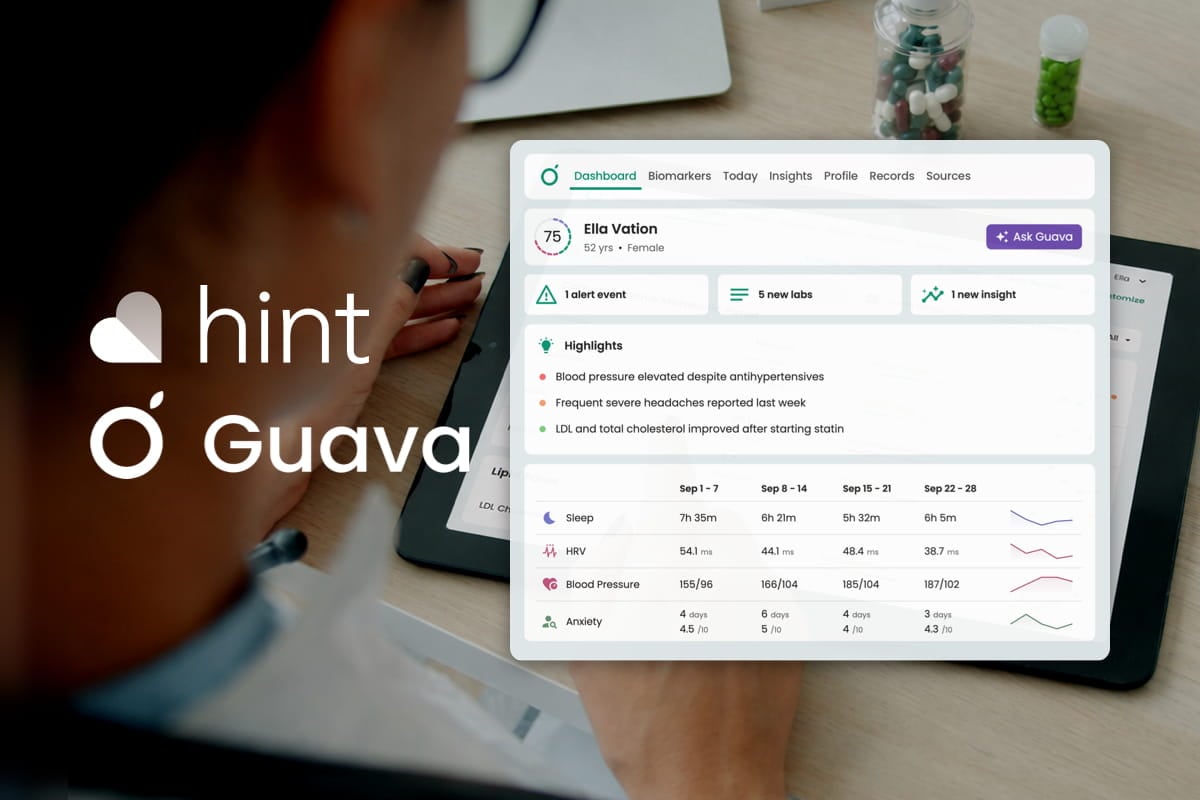
For direct primary care, concierge, and membership-based practices already using Hint, the Guava-Hint integration adds a longitudinal patient health layer to your existing workflow, covering AI-assisted chart review, wearable device integrations, and a premium patient app. In this article, we’ll walk you through the details of the integration. For those who enable it, the result is less time piecing together a clinical picture, stronger patient engagement, and a more premium membership experience. Guava’s Provider Dashboard is available directly through the Hint Marketplace. You can find and enable the integration there.
Here are some of the key benefits of using the Guava-Hint integration in your practice:
- Faster patient review: Walk into every visit already oriented to a patient's trajectory, with labs, wearable data, and recent logs organized in one view.
- Two-way document sync and quick access: Save nearly any Guava data to Hint as a document, including records retrieved from other health systems, and open a patient's Guava profile or Hint chart from either platform.
- Proactive panel management: See at a glance which patients are behind on screenings, checkups, or metric targets without reviewing charts one by one.
- Secure AI built into your workflow: Automatically get patient updates, generate summaries, surface trends, and answer patient-specific questions based on your patients’ complete medical history.
- Stronger patient retention: Give members a premium app experience that keeps them engaged with their health and connected to your practice between visits.
- Wearable and patient-logged data, in context: Guava pulls it in alongside your Hint records so you can see how a patient's sleep, activity, or glucose trends relate to their labs, without anyone having to manually compile it.
Jump to How to Enable the Hint Integration in Guava →
Seamless Data Import from Hint
When you connect Hint to Guava, your patient list syncs automatically into the Provider Dashboard without manual imports or re-entry. For each patient, the following data flows from Hint into Guava:
- Labs
- Documents and PDFs
- Medications and supplements
- Notes
Hint remains your system of record for billing, membership management, and practice operations. Guava receives what it needs from Hint, pushes documents back to Hint, and builds on top of it.
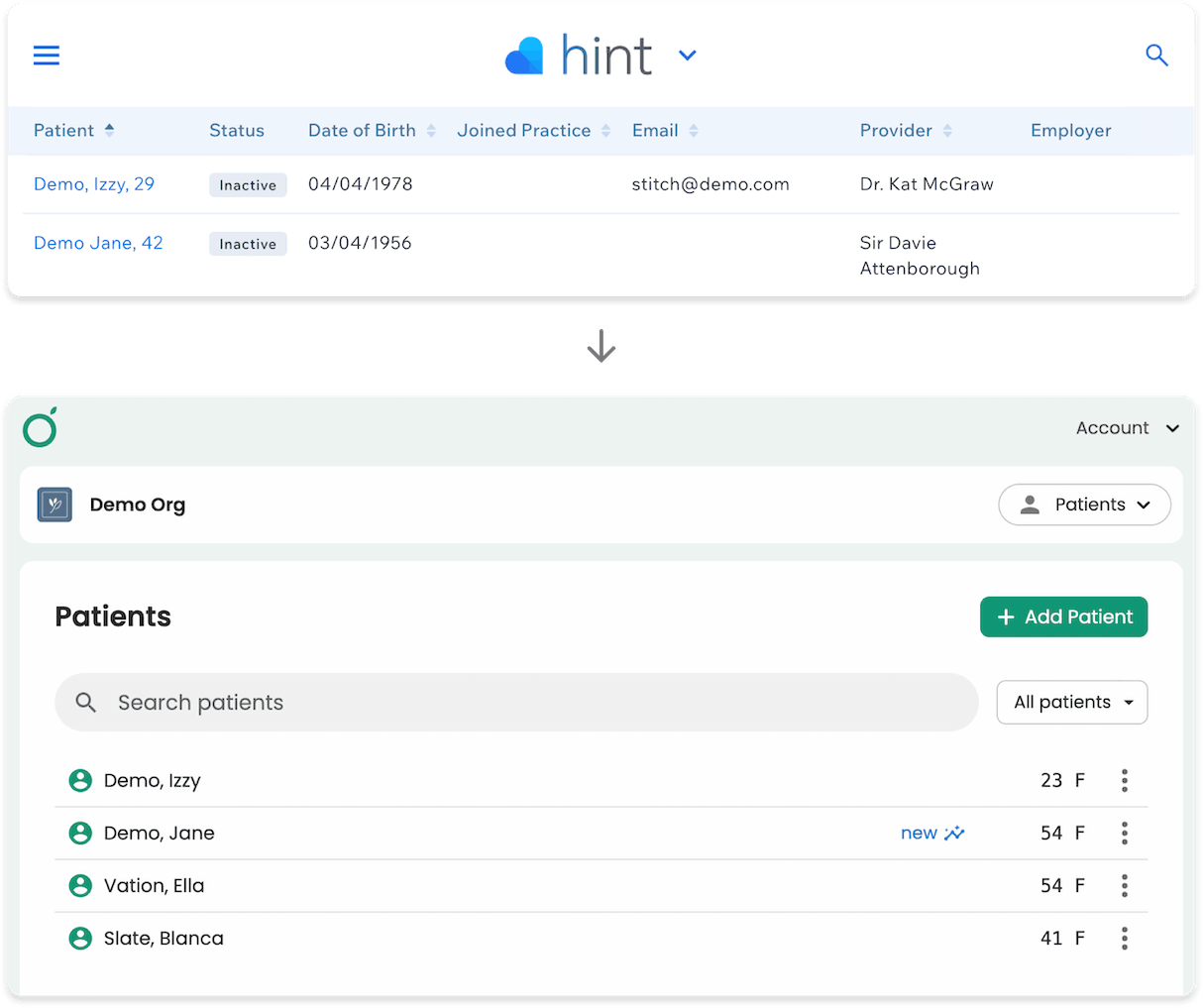
On the Guava side, that data gets structured for longitudinal review. Labs are converted into interactive charts with trendlines. Patient records are made searchable. Wearable data, symptom logs, and records from outside Hint are pulled in alongside it, so everything a provider needs for a visit is in one place rather than across multiple tabs or systems.
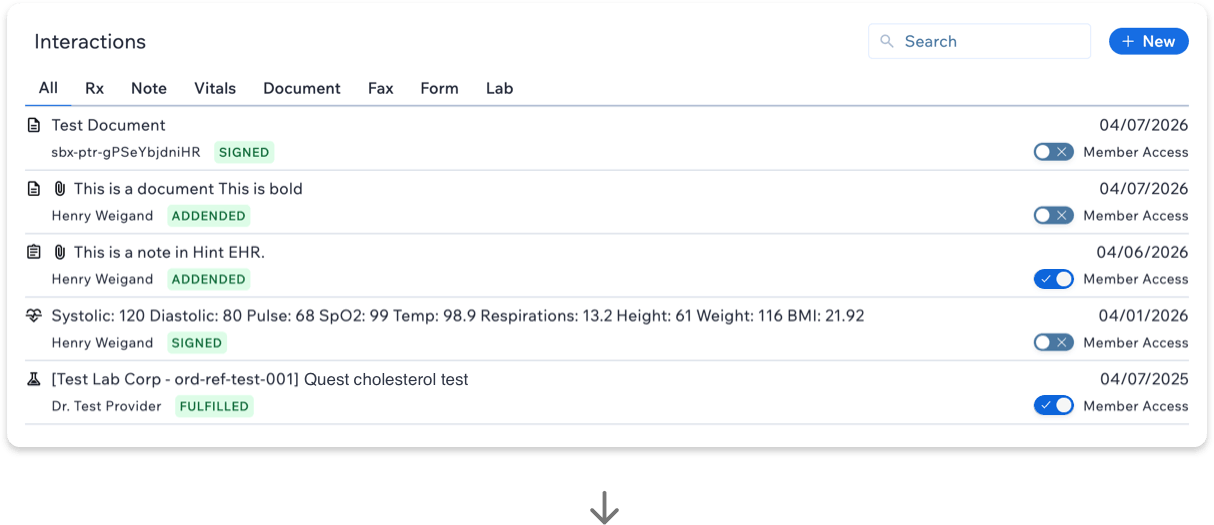

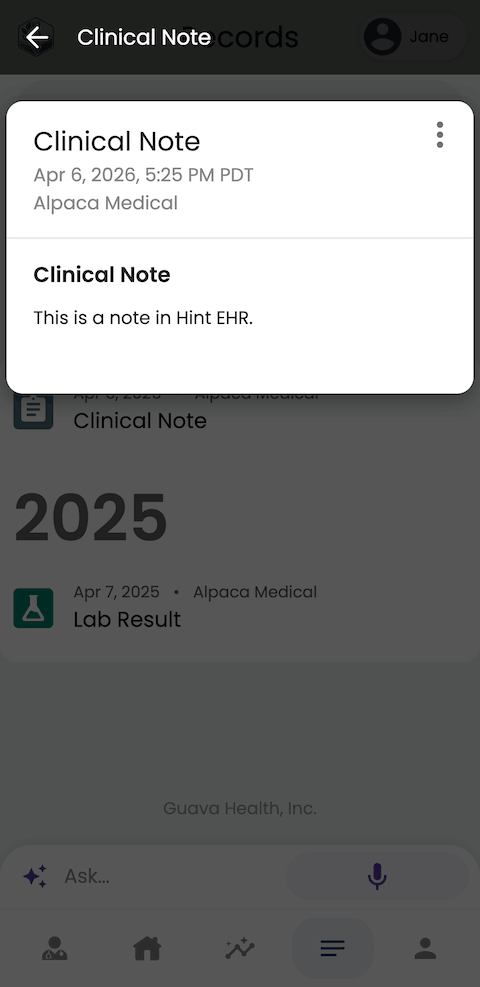

Hint data stays current after the initial sync. As new labs and records come in through Hint, they appear automatically in Guava without any action on your end.
Two-Way Document Sync and Quick Access
Documents sync between Guava and Hint in both directions. Anything added in Hint continues to appear in Guava, and you can now save documents and summaries from Guava to Hint as well. This keeps each patient's records complete in both places, so no one has to upload the same file twice.
Save Guava Data to Hint
Because anything in Guava can be saved as a document, nearly any data in a patient's Guava profile can become part of their Hint record, including:
- Records from other health systems: Use Guava to retrieve labs and records from outside patient portals and health systems, then store them in Hint alongside the rest of the patient's chart.
- Uploads: PDFs and images added by you or your patients, such as outside lab reports or imaging results.
- Wearable and patient-logged data: Sleep, activity, glucose, symptom logs, and other between-visit data that wouldn't otherwise reach your EHR.
- Notes and messages: Clinical context captured in Guava, which can be included in a summary and saved to the patient's Hint record.
For data that isn't already in a document, like wearable trends, symptom history, notes, or messages, generate a summary in Guava covering exactly what you need, then save it to Hint.
To save a document or summary to Hint, open the patient's profile in Guava and go to Sources. Upload a new document or select an existing document or summary, then select Save to Hint.
Open Hint from Guava
To open a patient's chart in Hint, go to the Patients tab, select the three-dot menu next to the patient's name, and choose Open in Hint.
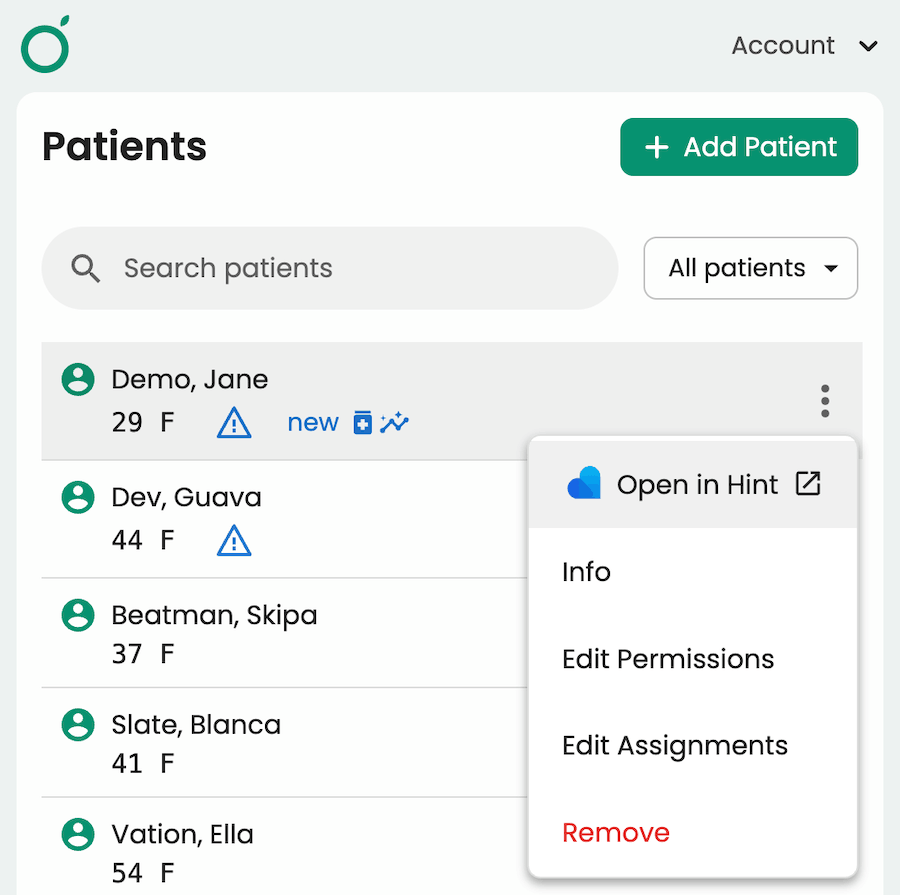
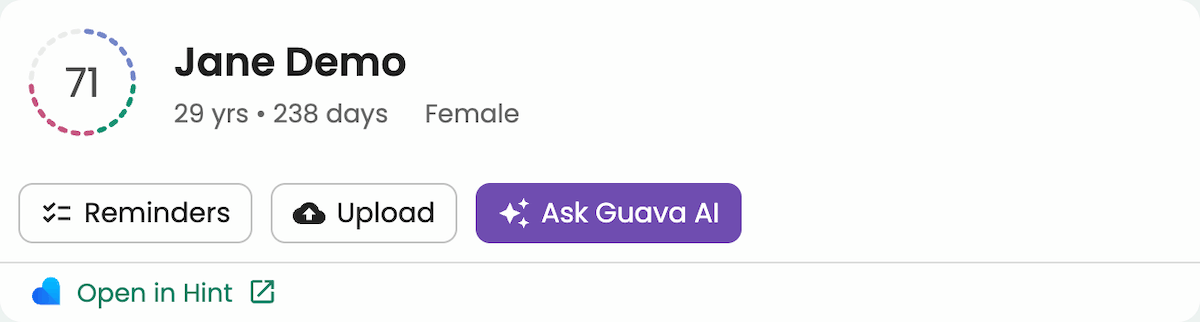
You can also select Open in Hint from inside a patient's profile, just below their name and Health Score.
Open Guava from Hint
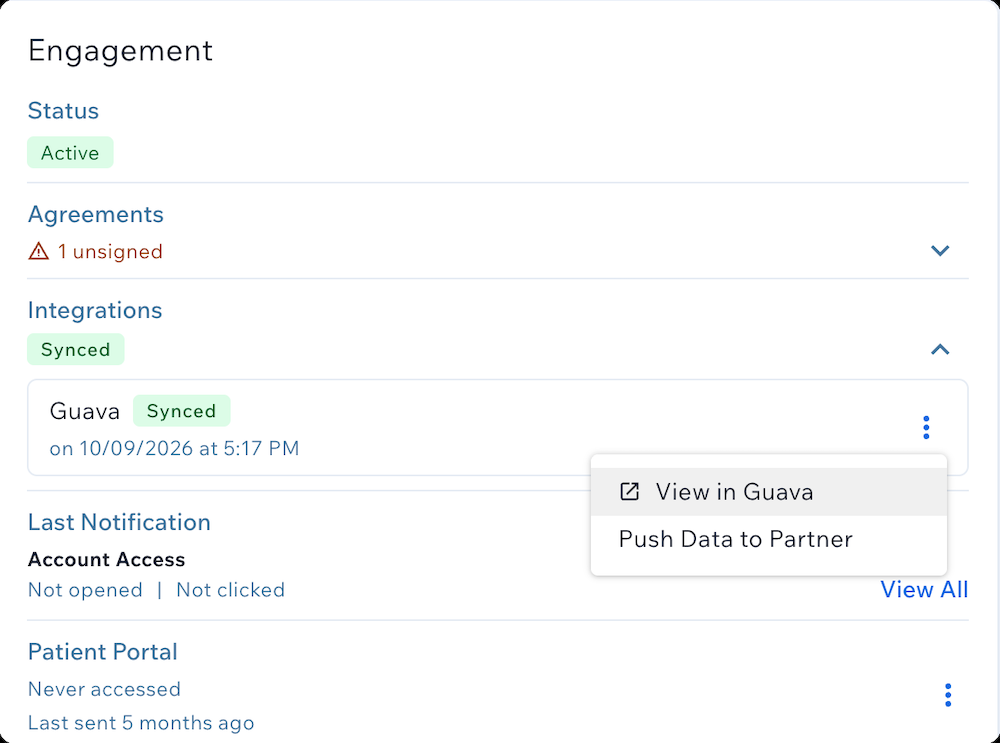
You can also open a patient's Guava profile directly from Hint, so their labs, wearable data, and AI summaries are easy to reach while you're working in their Hint chart. To find the link in Hint:
- Switch to Memberships & Billing in the top right.
- Expand the Integrations section.
- Select the three-dot menu next to Guava.
- Select View in Guava to open the patient's Guava profile.
Records from External PDFs and Outside EHRs
Once your Hint patients are imported into Guava, you and your patients can upload additional records from outside Hint as PDFs or images. Using AI record parsing, labs, visit notes, radiology reports, and other documents become searchable in seconds. Patients can also connect to external patient portals and health systems to retrieve labs and other records from across their full medical history.
Once imported, data stays up to date automatically, so your dashboard reflects your patients' current labs and records without manual syncing or re-entry.
Clear, Searchable Labs and Records Over Time
Lab data from Hint, record uploads, and external patient EHRs are then converted into interactive longitudinal charts. Instead of opening multiple tabs or digging through scanned documents before a visit, you can see a patient's full lab history at a glance, with trendlines that make changes easy to spot.
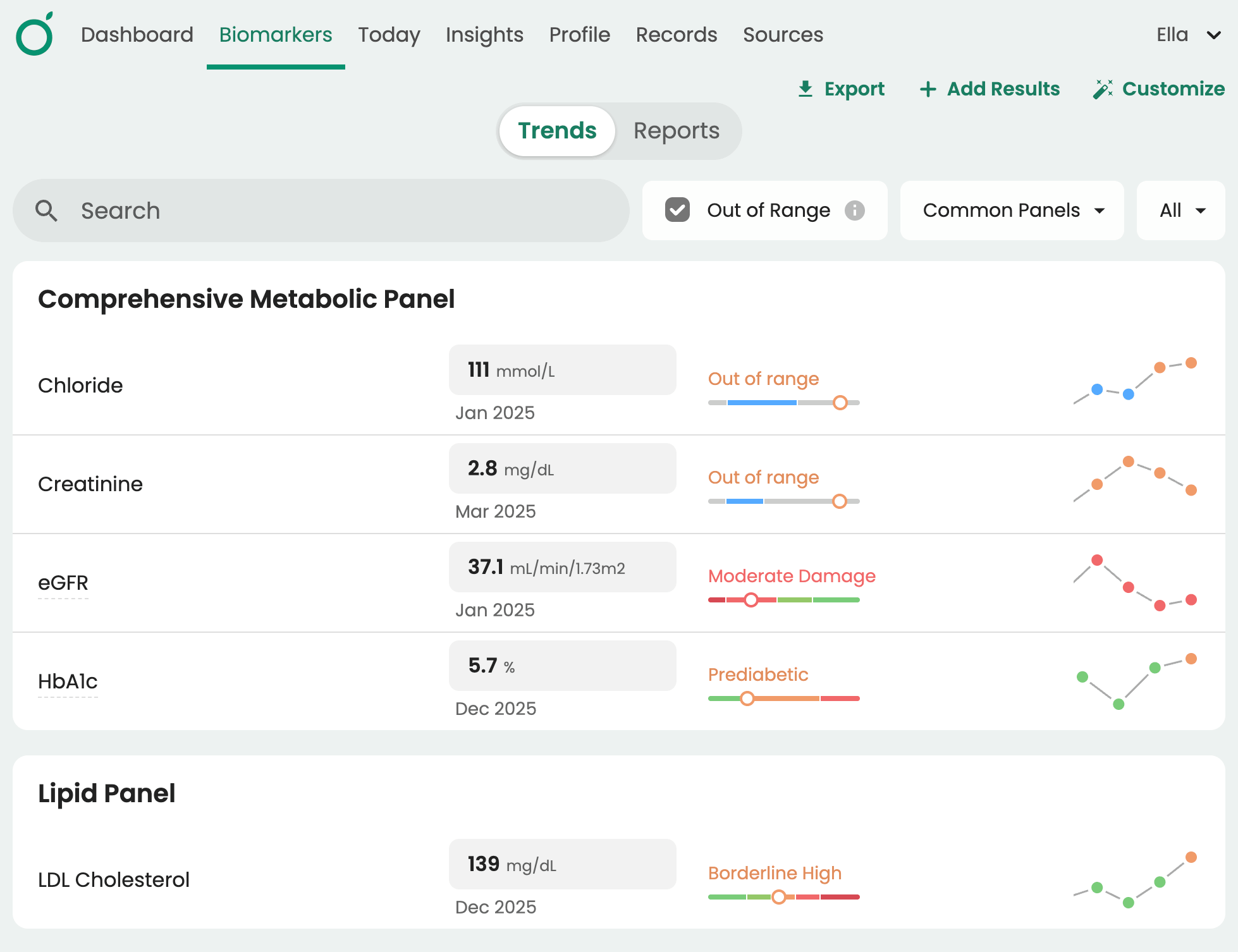
You can also write custom lab range descriptions based on individual patient baselines, goals, and clinical context. This allows patients to see results that are meaningful to their specific situation rather than generic reference ranges.
Connecting External Records and Devices
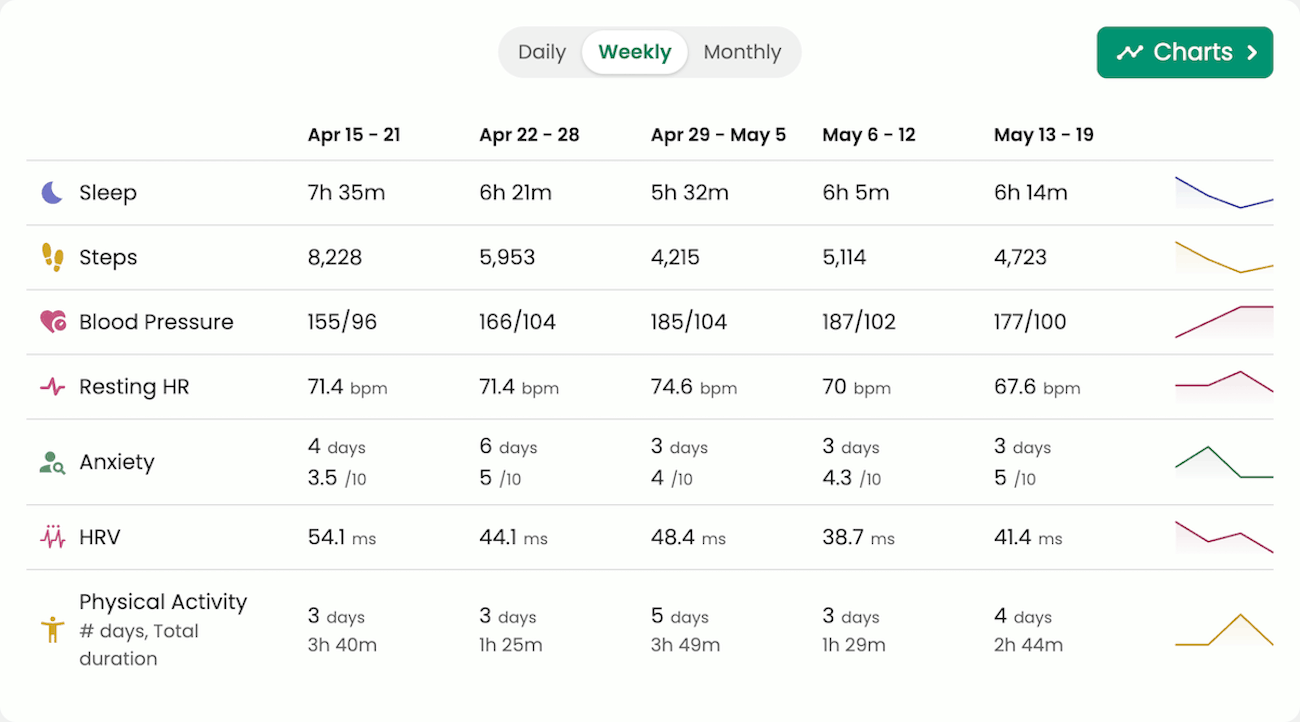
Beyond labs and records, patients can connect to a multitude of wearable devices and apps. Having access to data from devices like Garmin, Oura, Dexcom, and Libre creates a longitudinal picture that goes well beyond what's captured in your EHR.
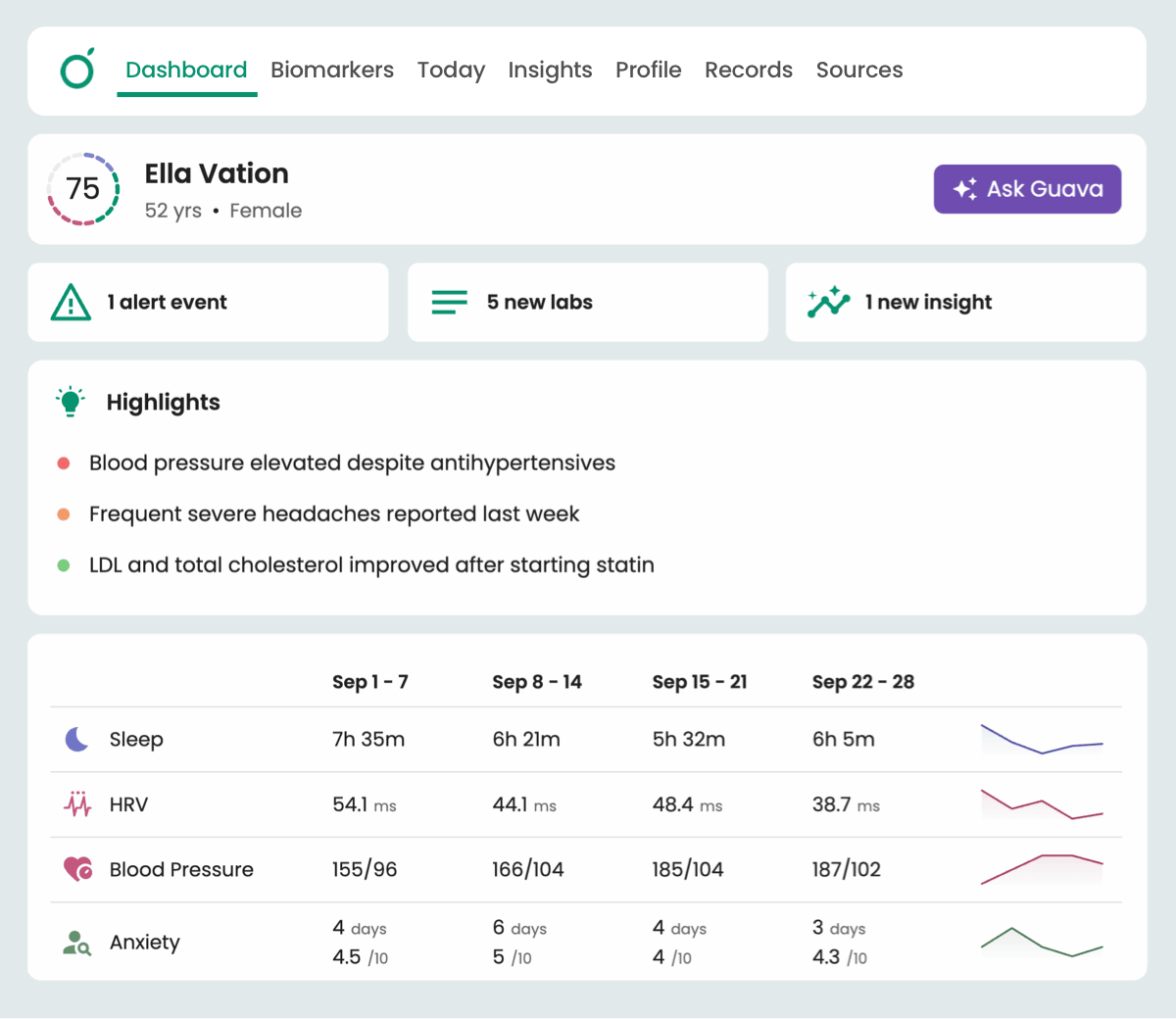
Activity, sleep, heart rate, glucose, and other device metrics appear alongside symptom logs and medication data in the Key Metrics section of the Provider Dashboard. This gives you between-visit context that would otherwise require a separate conversation to surface. For concierge providers managing smaller panels with higher expectations, this is the kind of depth that makes the membership worth it.
Integrate Your Existing Stack
Beyond Hint, the Provider Dashboard has direct integrations with non-EHR tools that may already be used in your practice, including Spruce and InBody. Patients can also upload records from organizations like Function Health to have labs automatically parsed and sorted into biomarkers.
Panel Review and Health Scores
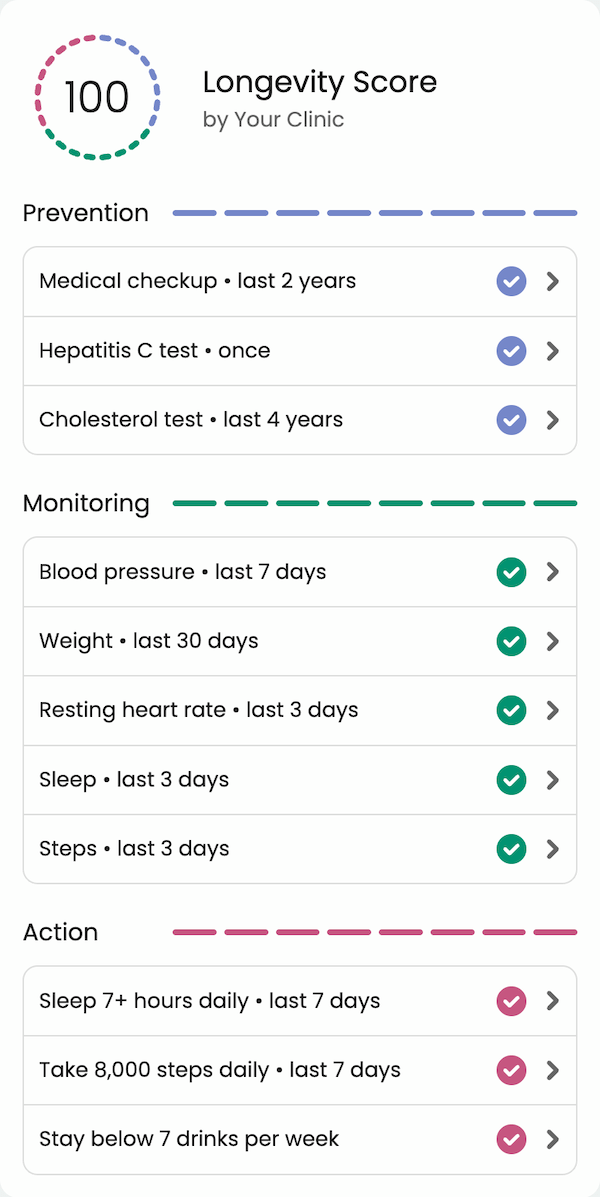
Guava lets you build individualized Health Scores for your patients, composed of factors specific to their goals and care needs. A health score might include completing a Hepatitis C screening, staying within a blood pressure range, hitting a weekly step target, or any combination of clinical and lifestyle factors you define. Scores update automatically as data is added to patient profiles, and patients can see their progress directly in the app.
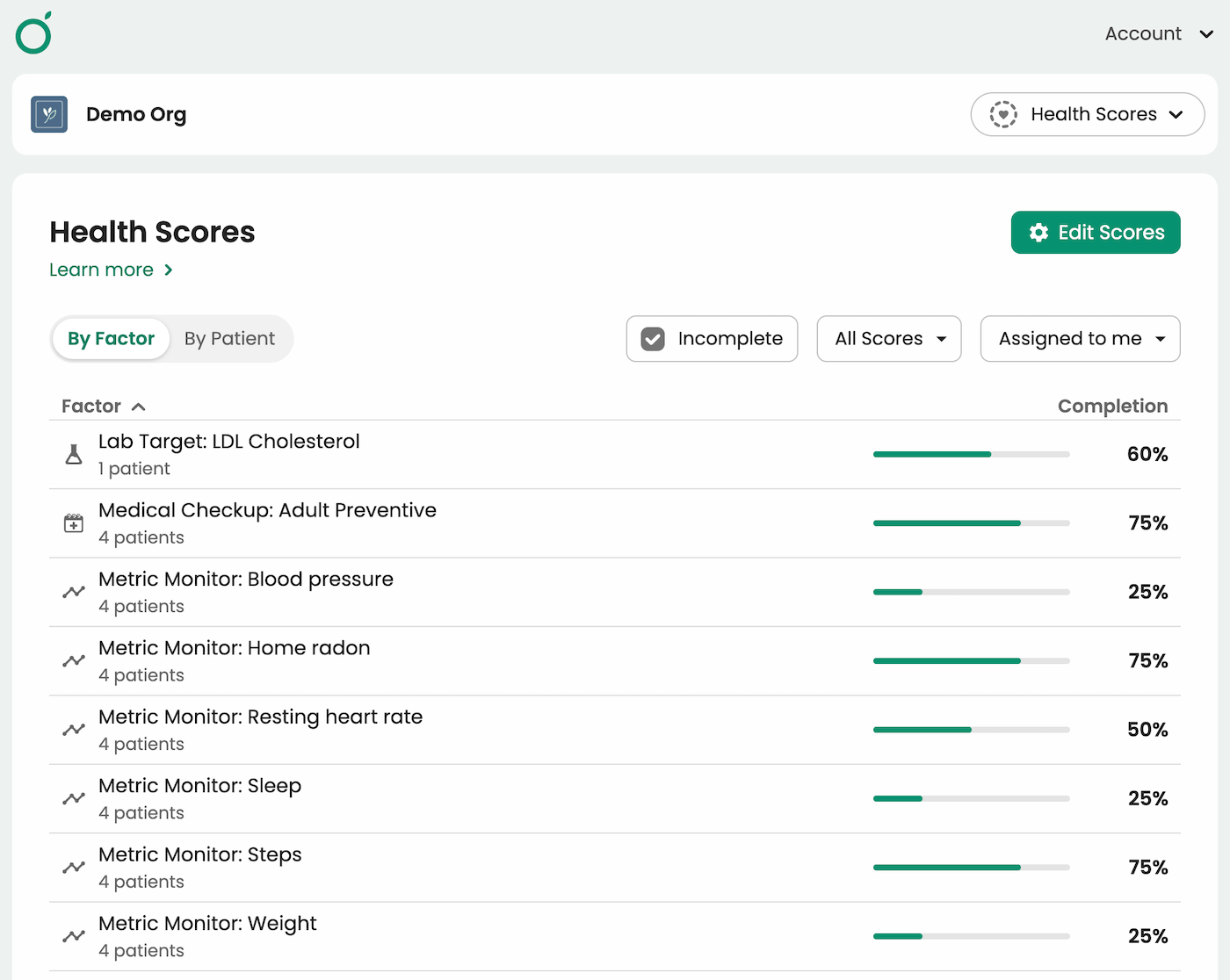
To alleviate the admin burden of proactively monitoring every patient between visits, Guava offers the “by factor” view of Health Scores. This lets you see completion rates across your panel for any Health Score factor, including overdue screenings, checkups, metric targets, and lifestyle goals, so you can identify which patients need follow-up without manually reviewing individual charts.
AI in Guava
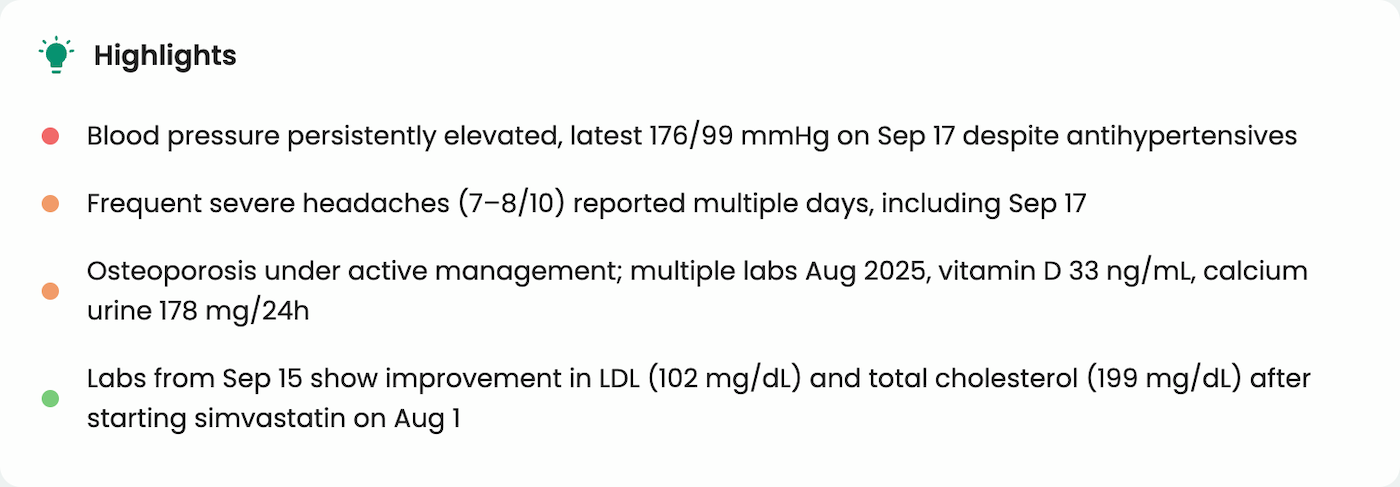
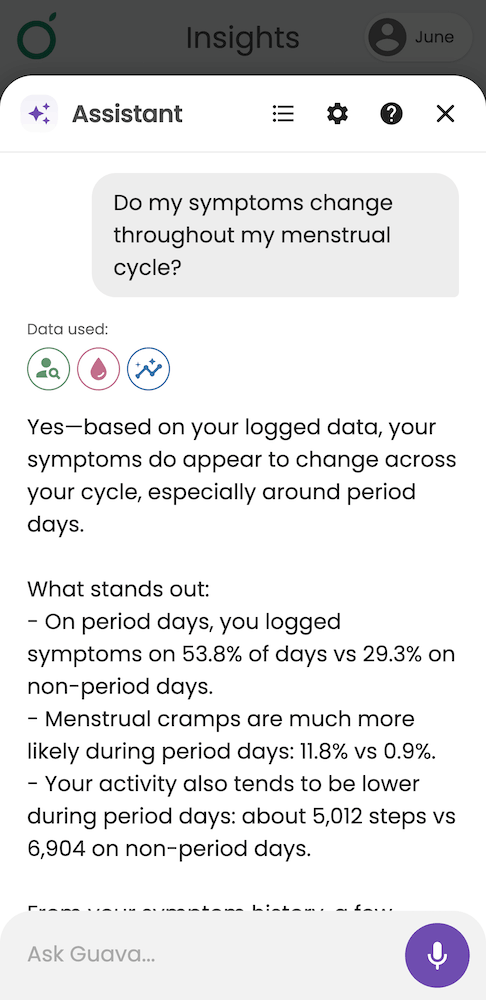
AI in Guava gives you a practical, secure way to integrate AI into your practice without adding additional tools or workflows. For providers, it surfaces trends across labs, notes, symptom logs, and wearables and generates concise patient summaries so you can orient quickly before a visit.
- AI-generated patient highlights appear automatically at the top of each patient profile, summarizing recent trends and notable changes at a glance
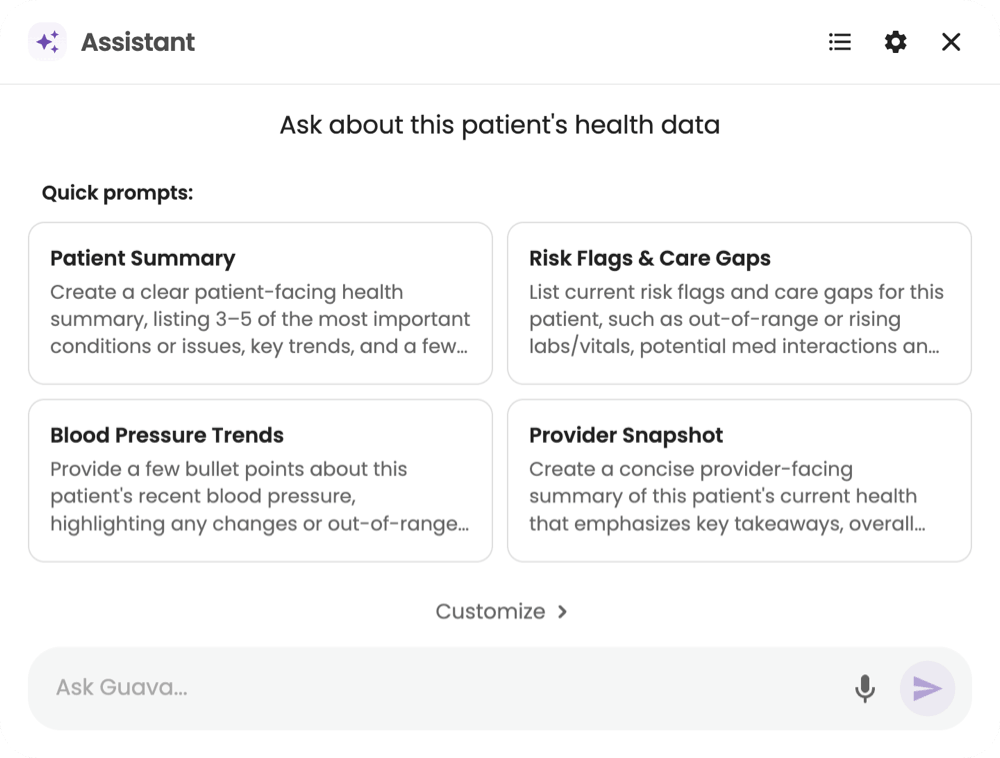
- Create an AI health summary to share with the patient
- Snapshot a patient's current health status or identify risks and gaps in care
- Analyze trends in metrics like blood pressure or cholesterol
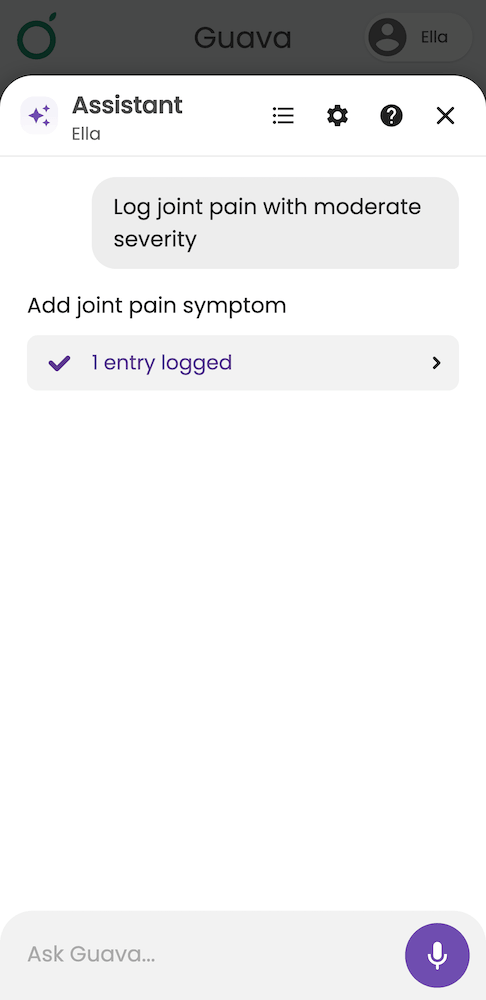
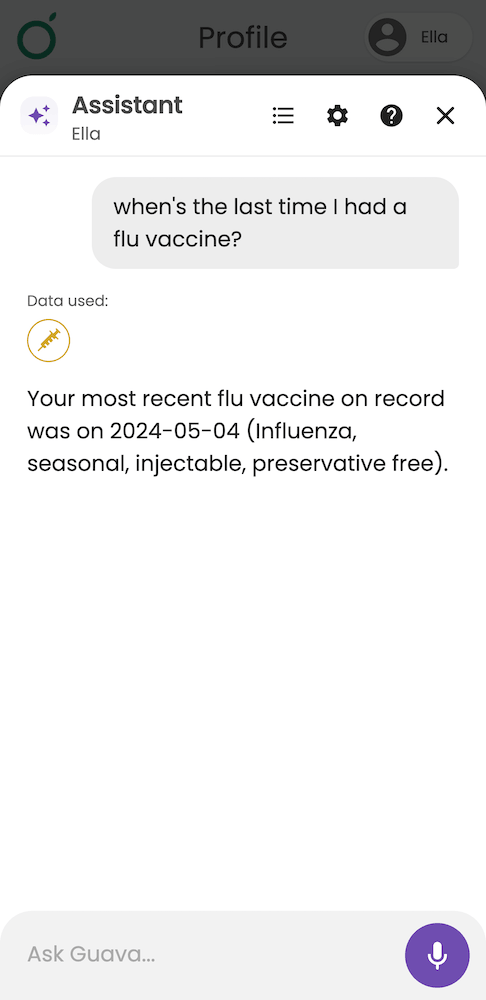
For patients, Guava AI summarizes records in plain language and supports logging via voice, text, or photo, reducing the friction of staying on top of their health between appointments.
A Premium Patient Experience
In addition to their Hint patient portal, patients receive a premium subscription to the Guava app, which is available on Android, iOS, and the web in 20+ languages. Guava is built to help patients take an active role in their health and is rated 4.7 and 4.8 stars on the app stores. The app syncs records from Hint and other connected sources, so patients can view biomarker trends over time, connect wearables, log symptoms, medications, and nutrition, and receive AI-powered insights into how different factors interact with their health.
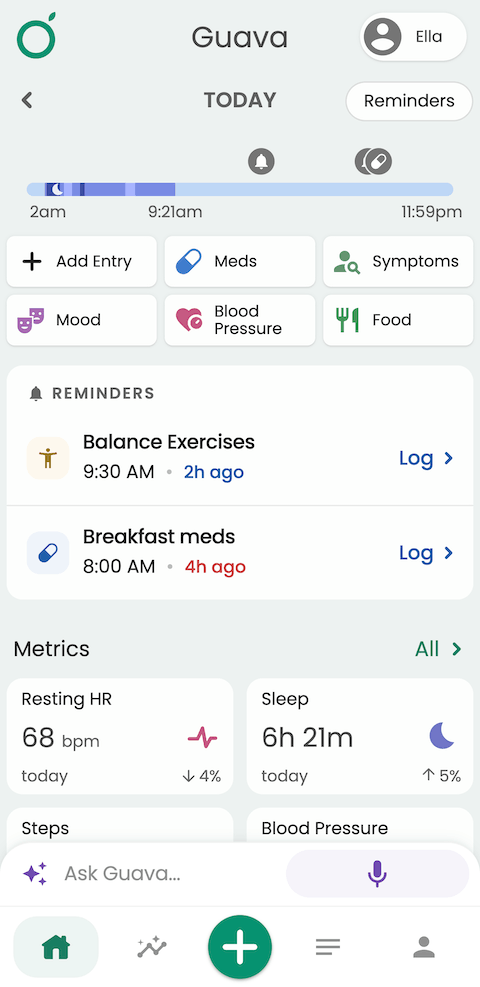
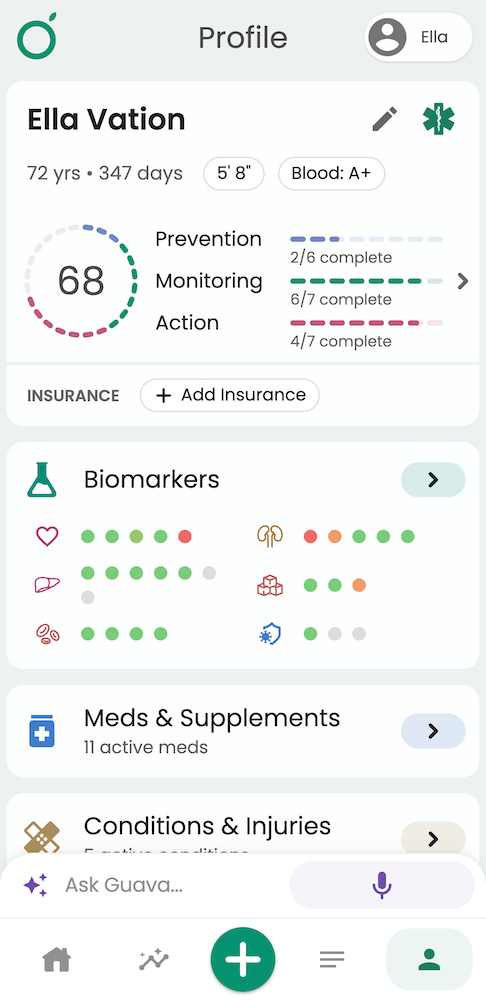
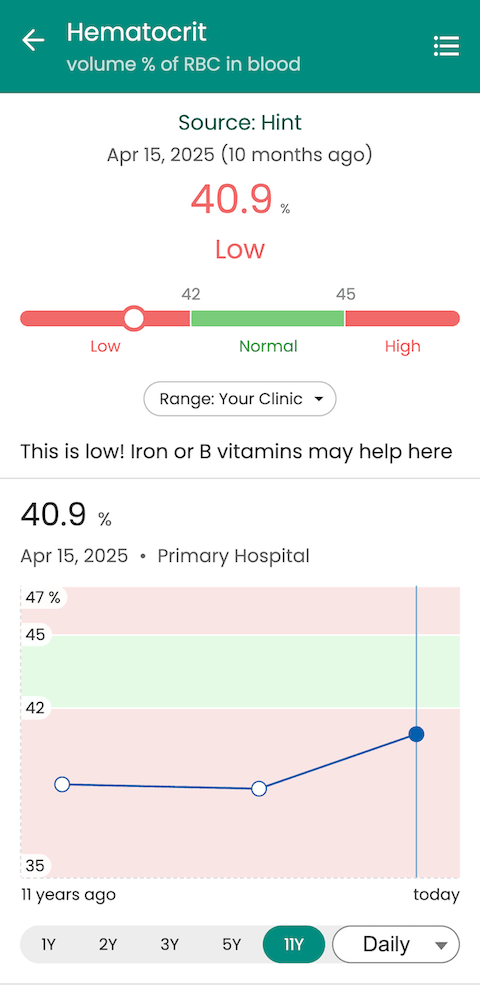
Unlike a standalone Guava Premium subscription, the provider-connected experience is tied directly to the patient's care. Records sync live from your EHR, lab ranges reflect their individual baselines, Health Scores are tied to their specific goals, and they can message you directly through the app. To keep their experience cohesive with your practice, you can also enable your organization’s branding in the app. For concierge and DPC practices, this is the patient-facing layer that makes the membership feel substantive between visits, not just on appointment days.
How to Enable the Hint Integration in Guava
- In Guava, go to the Integrations tab and select Hint. If you haven't made your Guava provider account yet, you can sign up here.
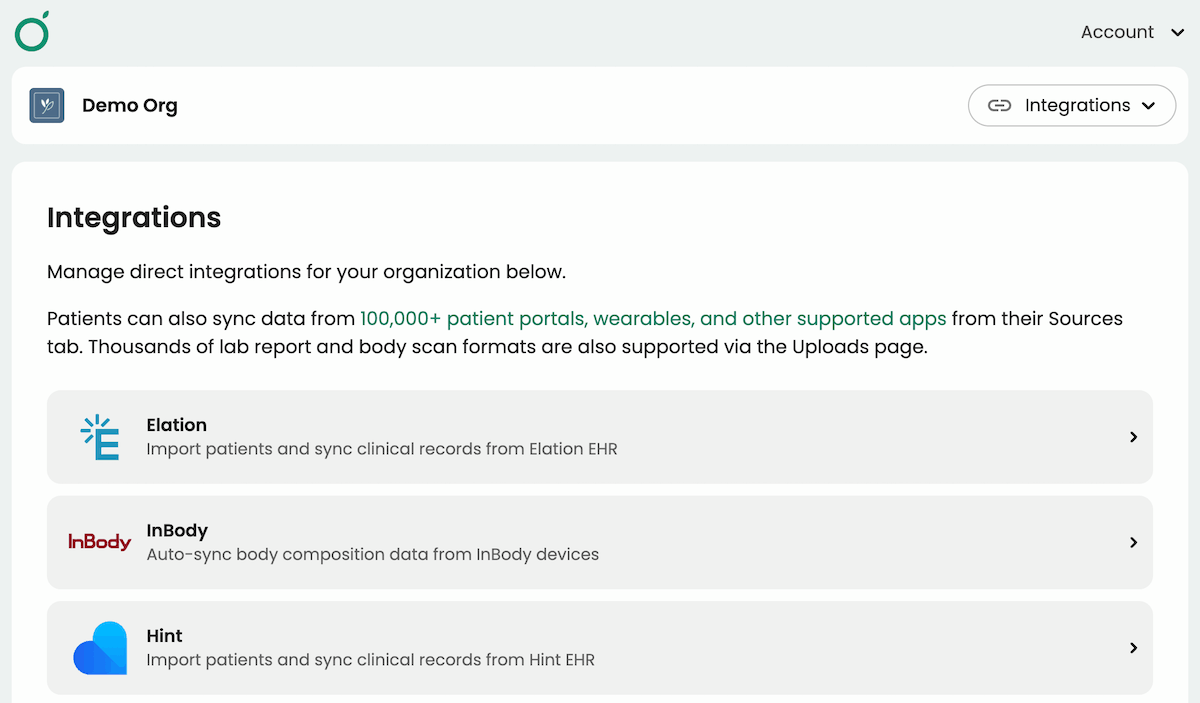
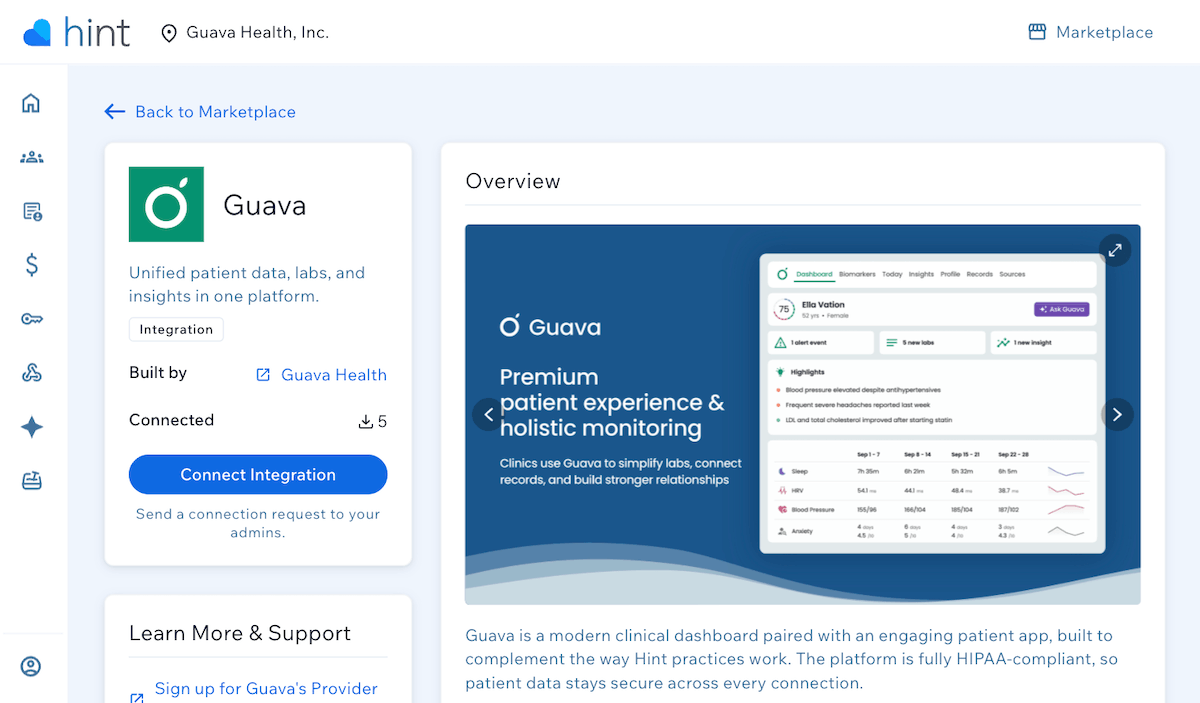
- Follow the link to find the Guava listing on the Hint Marketplace.
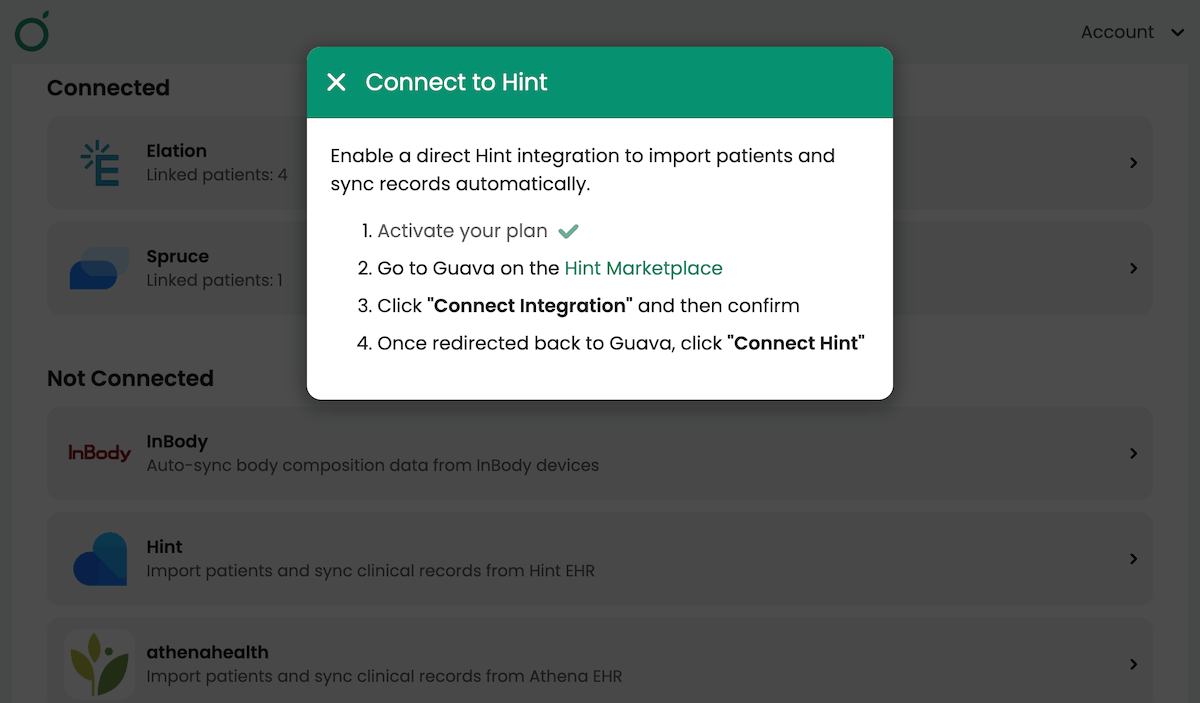
- Sign in to Hint and select Connect Integration.
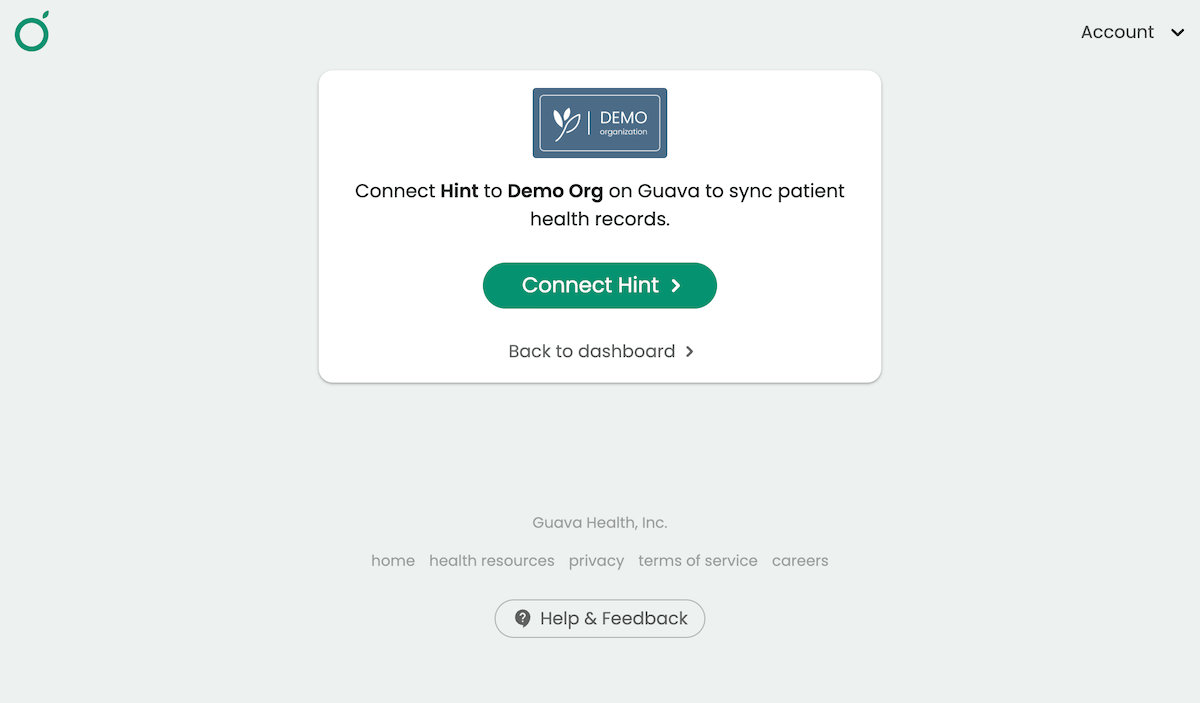
- Back in Guava, select Connect Hint.
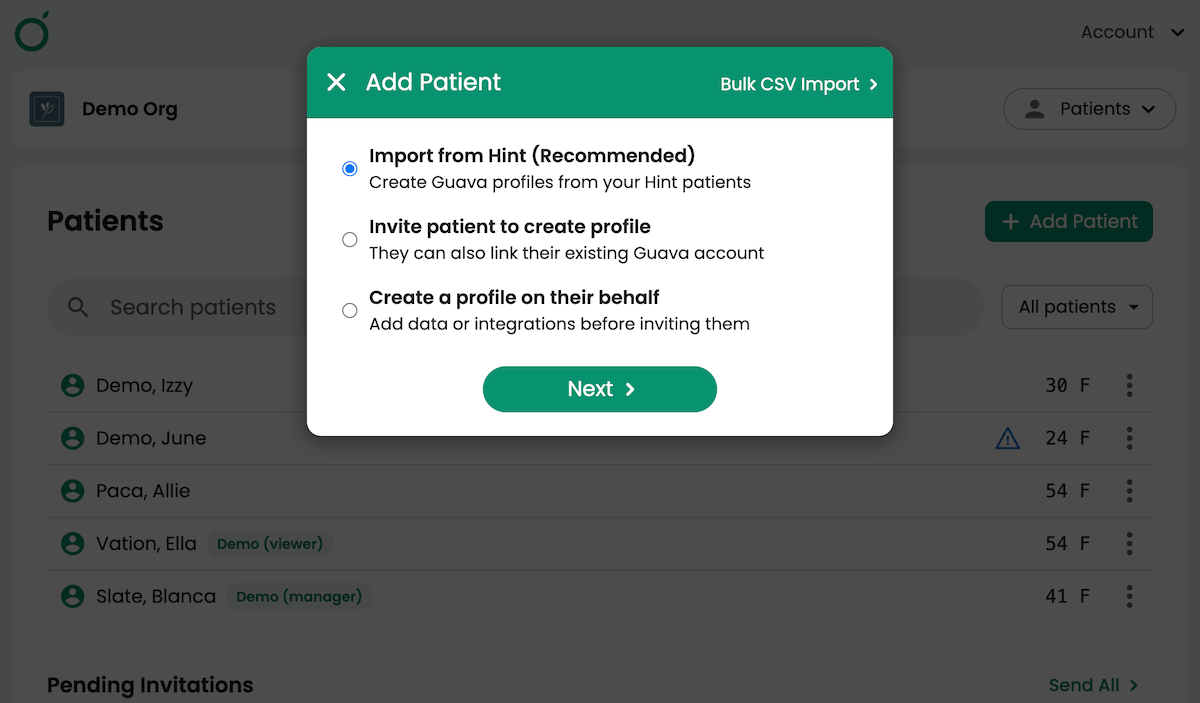
- Once connected, you’ll see that your Guava-Hint integration is successful. To import your patients, go to the Patients tab > + Add Patient > Import from Hint. Once imported, patient records can be found in their profiles, and data stays automatically updated going forward.
- Invite patients to access their Guava profile and Hint data.
- Configure Health Scores and custom biomarker ranges to start delivering a personalized patient experience.
Who This Integration Is For
- Direct primary care practices
- Concierge and membership-based practices
- Practices focused on prevention, longevity, and personalized care
The Bottom Line
Hint handles the operational side of your DPC practice. Guava handles the clinical and patient engagement layer that makes the membership worth it between visits. Together, they give you a more complete picture of your patients' health, a more engaged patient panel, and more time to focus on care rather than chart prep.
If you'd like a personalized walkthrough of the integration or have questions about getting set up, reach out to our team.
Contact us to schedule a demo or sign up here to get started for free.
FAQs
Is Guava a replacement for Hint?
No. Guava works alongside Hint, extending its functionality with a patient-facing health experience and a provider dashboard built for longitudinal data review. Hint continues to handle your billing, membership management, and practice operations.
What data can be synced from the Hint integration?
Your entire Hint patient list flows directly into Guava, along with each patient's labs, documents and PDFs, medications and supplements, and notes. In Guava, labs are organized into interactive charts and searchable summaries in the Biomarkers and Records tabs, while clinical notes can also be found in the Records tab. Data stays automatically updated after the initial import.
Can I save Guava data to Hint?
Yes. Documents and summaries can be saved from Guava to Hint, including records Guava retrieves from other health systems and patient uploads. To share wearable data, symptom logs, notes, messages, or other patient data, generate a summary in Guava and save it to Hint. Open the patient's profile, go to Sources, select the document or summary, and select Save to Hint.
Can I open Hint from Guava, or Guava from Hint?
Yes. You can open a patient's Hint chart from the three-dot menu in the Patients tab or by selecting Open in Hint on their profile. You can also open a patient's Guava profile from Hint by switching to Memberships & Billing, expanding Integrations, selecting the three-dot menu next to Guava, and choosing View in Guava.
Will my patients be able to view their lab results over time?
Yes. Guava consolidates and deduplicates results from Hint and other connected portals, displaying them as longitudinal charts with trendlines that are easy for patients to follow and easy for providers to reference during visits.
Can Guava extract labs from PDFs or images?
Yes. Guava automatically parses lab results from PDFs and images, structuring them into interactive charts and lists that are searchable and trackable over time.
Can providers set custom lab ranges for individual patients?
Yes. Custom reference ranges can be set at both the individual and group levels, allowing providers to adjust baselines for patients for whom standard ranges don't apply, such as those managing diabetes or optimizing longevity markers.
Does Guava work if I use Elation, Cerbo, or athenahealth alongside Hint?
Yes. Guava integrates directly with Hint, Elation, Cerbo and athenahealth, so your records and labs flow into the same dashboard regardless of which EHR your practice uses.
Does Guava work with Spruce?
Yes. For practices that use Spruce for secure clinical communication, Guava connects directly to it, so patient messaging stays in one place.
What wearable devices does Guava support?
Guava supports a wide range of consumer and medical-grade devices, including Garmin, Oura, Dexcom, Libre, and more. Device data appears alongside labs, symptom logs, and visit records in both the Provider Dashboard and the patient app.
Is Guava free for patients?
Yes. Patients of providers using the Guava Provider Dashboard get Guava Premium included at no cost.
Is the Hint integration secure?
Yes. Guava follows HIPAA, GDPR, and applicable federal and state law to keep your information secure. Guava signs a Business Associate Agreement or Data Sharing Addendum as applicable for providers with HIPAA obligations. For more information, visit our privacy and security page.
How does Guava support patient engagement between visits?
Guava gives patients a place to view their health data, log symptoms and medications, connect wearables, and receive AI-powered insights between appointments. Providers can set up check-ins, smart alerts, and custom Health Scores to stay connected to their panel without adding to their clinical workload.