
Guava’s integration with Spruce brings enhanced communication and workflow tools to DPC and concierge teams, empowering them to deliver more efficient, holistic care. The result is less platform-switching, more context, and faster follow-up when it matters. Here’s a quick look at what you can expect from the integration:
View and search Spruce messages for each patient directly in Guava.
See EHR data, labs, wearables, and clinical notes alongside Spruce conversations in one dashboard.
Leverage AI to search through health data, summarize conversations, receive insights, and draft responses.
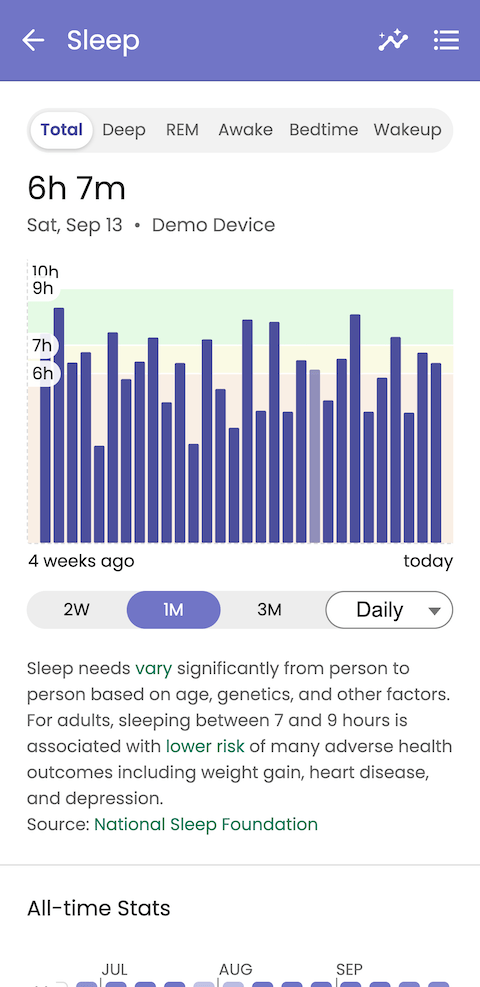
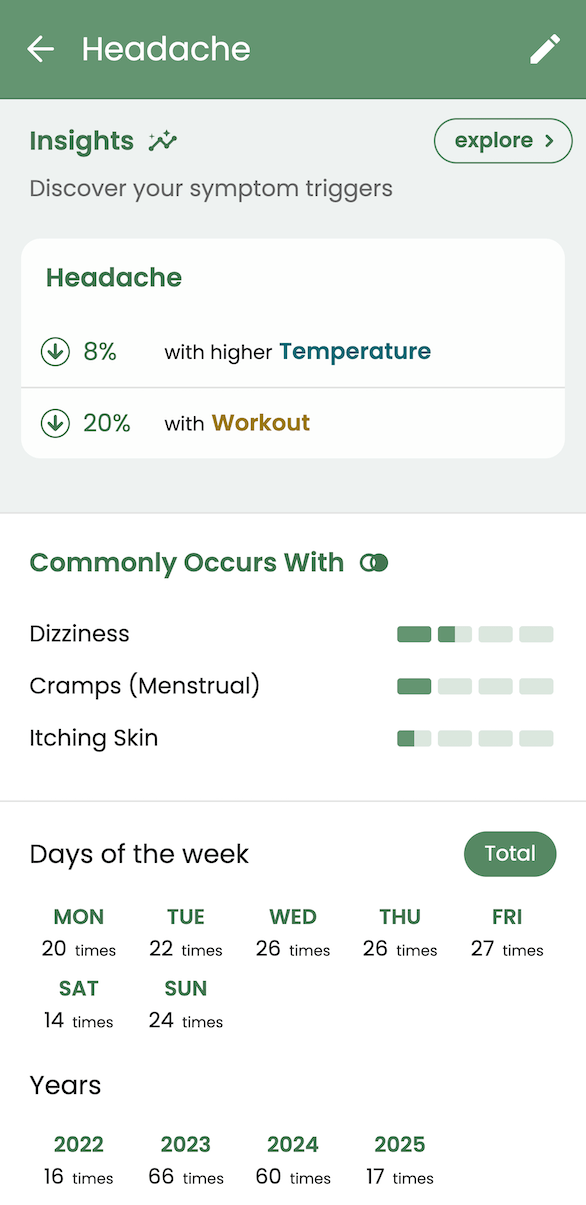
Improve your patients’ experience with a consumer-grade app that lets them view records, connect wearables, and get more personalized care.
What is the Guava Provider Dashboard?
The Guava Provider Dashboard is a centralized clinical hub where providers review and monitor patient health data over time, all in one place. It brings together lab results, symptoms, medications, wearable device data, uploaded records, AI-generated highlights, and automated insights into a single longitudinal view, so you always have the full picture before walking into an appointment. In addition, Guava provides an extremely high-quality app experience for patients, giving them a user-friendly way to track their health and connect with their provider.
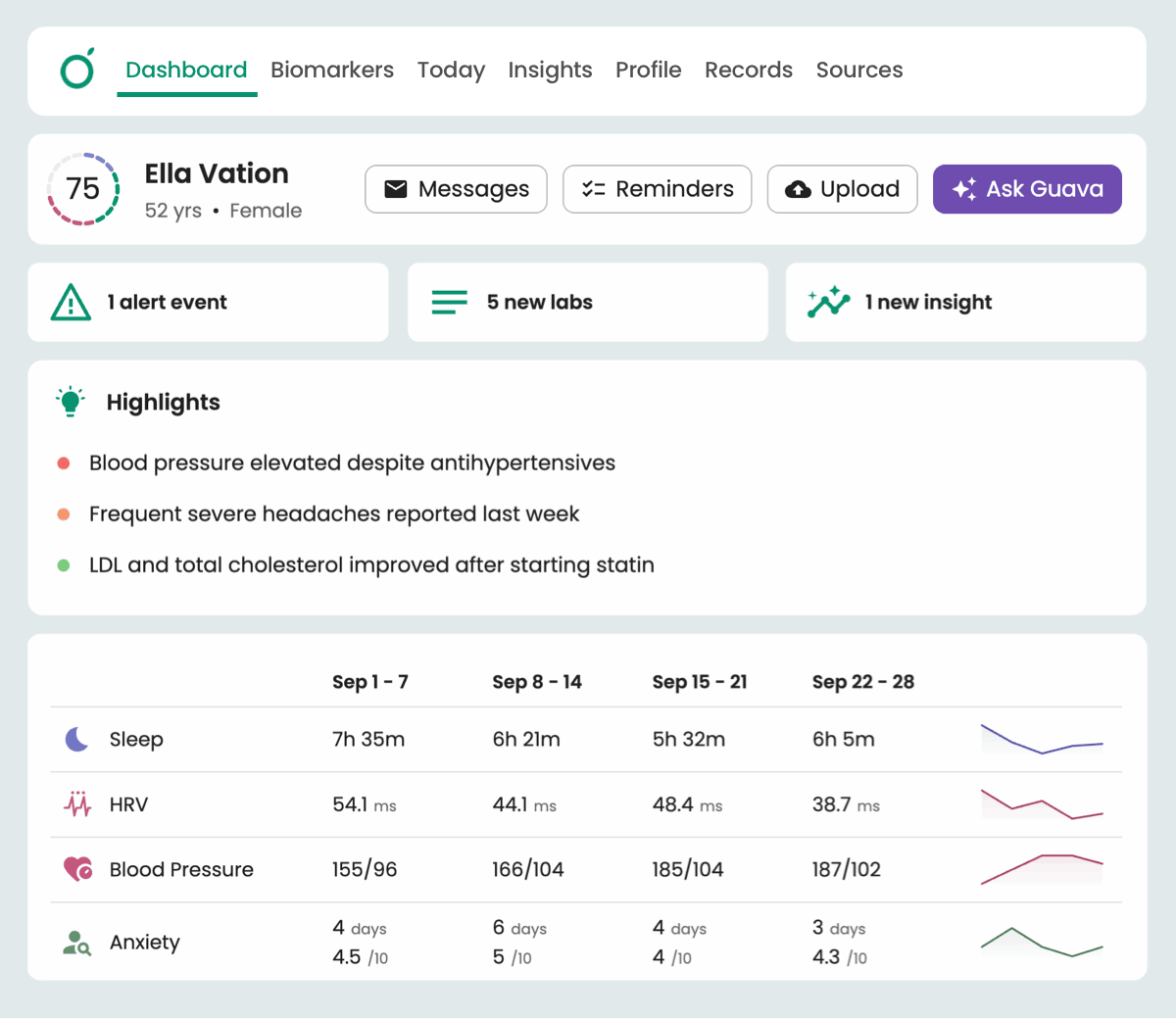
Within the Guava-Spruce integration workflow, the dashboard also gives you access to patient communication history – Spruce messages appear alongside clinical data in each patient's profile. This adds communication as one layer of a much broader picture in Guava. The core purpose of Guava’s Provider Dashboard is clinical clarity: understanding where your patient stands, what has changed, and what needs attention, between visits and over the long term.
How Spruce Messages Appear in Guava
Once the integration is enabled, Spruce conversation history is available in two places:
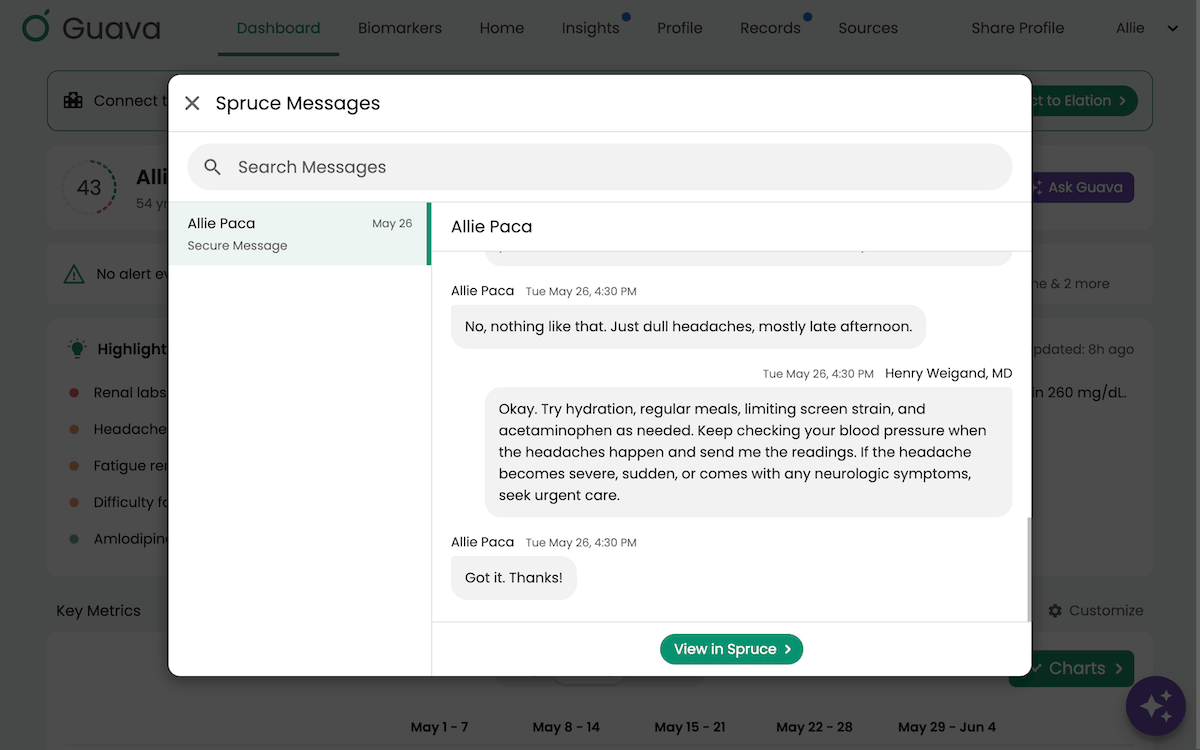
- Patient profile > Dashboard tab > Messages: The full Spruce conversation thread for that patient, searchable by keyword
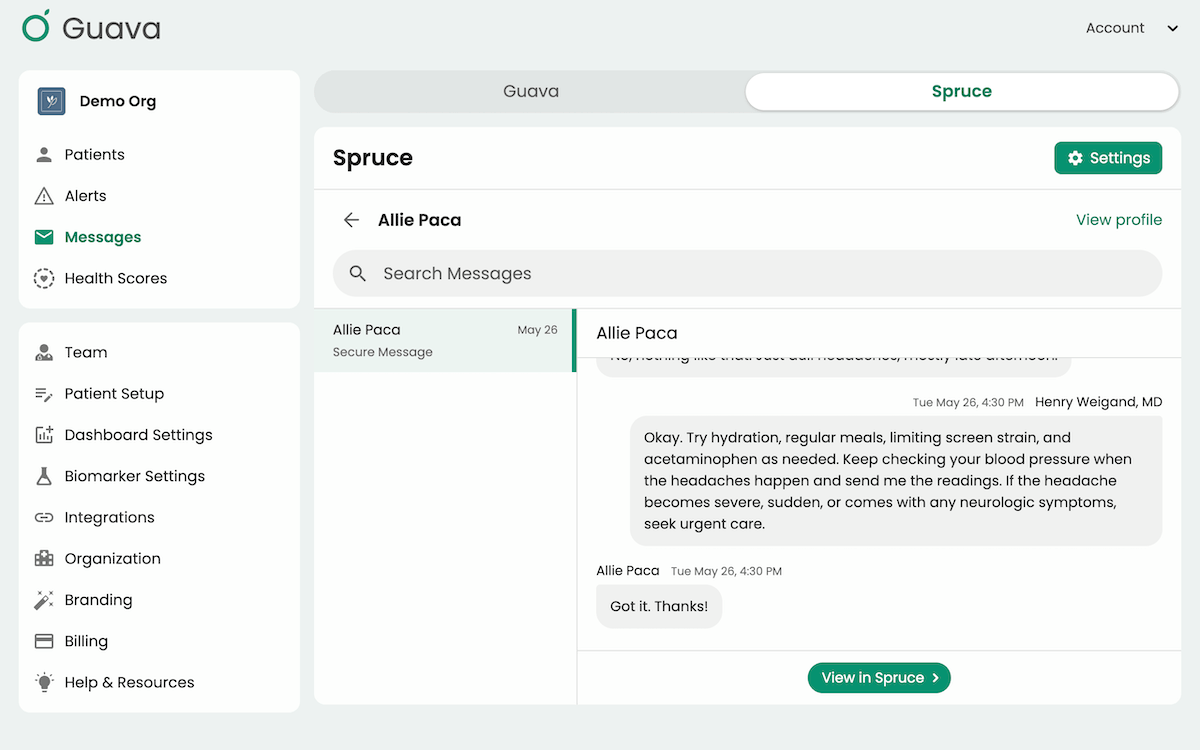
- Messages tab (org-level): A view of all linked patient threads across your practice
Messages are read-only within Guava. To reply, Guava links directly to the conversation in Spruce, opening it in a new tab. The ability to respond from within Guava is on the roadmap.
Using Guava AI with Spruce Messages
Because messages are available alongside the rest of a patient's health data in Guava, the AI Assistant can reference them directly. This opens up a few useful workflows:
- "Help me respond to the patient's last message" — Guava AI drafts a response based on the message content and the patient's health context in their profile
- "Summarize my conversation with this patient over the last three months" — useful for visit prep or handing off a patient to a colleague
- Cross-reference messages with health data — ask Guava AI to connect what a patient has been reporting in messages with trends in their labs, wearables, or symptom logs
For providers managing a busy panel, this makes it easier to stay on top of between-visit communication without manually reconstructing context before every reply or appointment.
Additional Guava Features That Pair Well with Spruce
While Spruce handles your secure patient messaging, Guava adds even more clinical context around those messages. These Provider Dashboard features are particularly useful for practices that are already using Spruce.
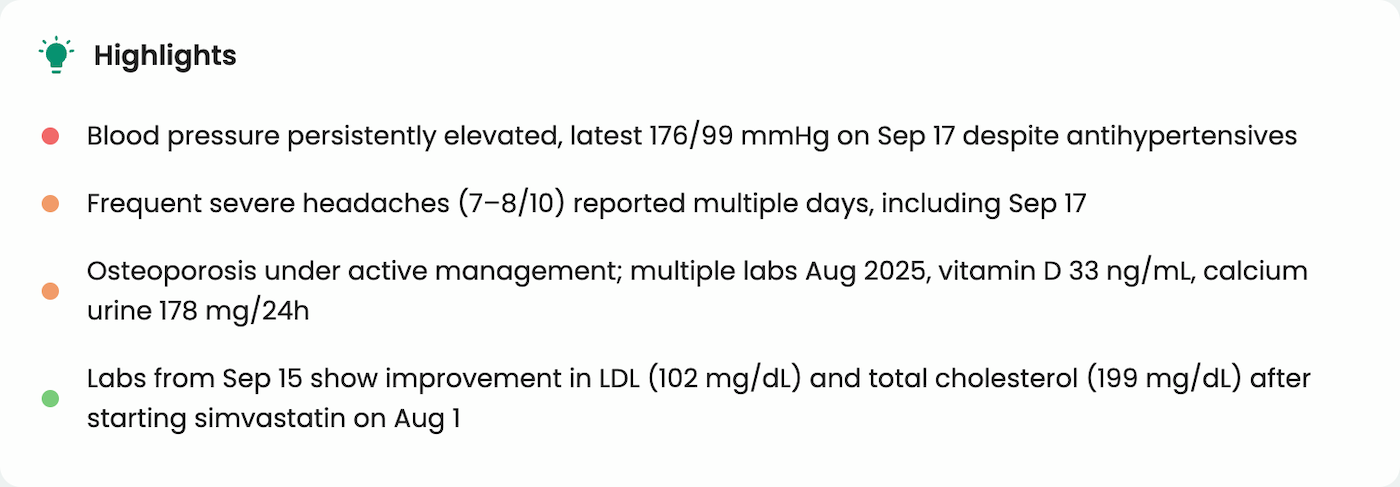
AI Highlights: At the top of each patient's profile, Guava AI auto-generates a summary of recent changes, like new labs, symptom shifts, wearable trends, recent encounters, and medication updates. Before responding to a patient's Spruce message, you can check their highlights to quickly understand what's changed clinically, without opening a separate chart or manually reviewing records.
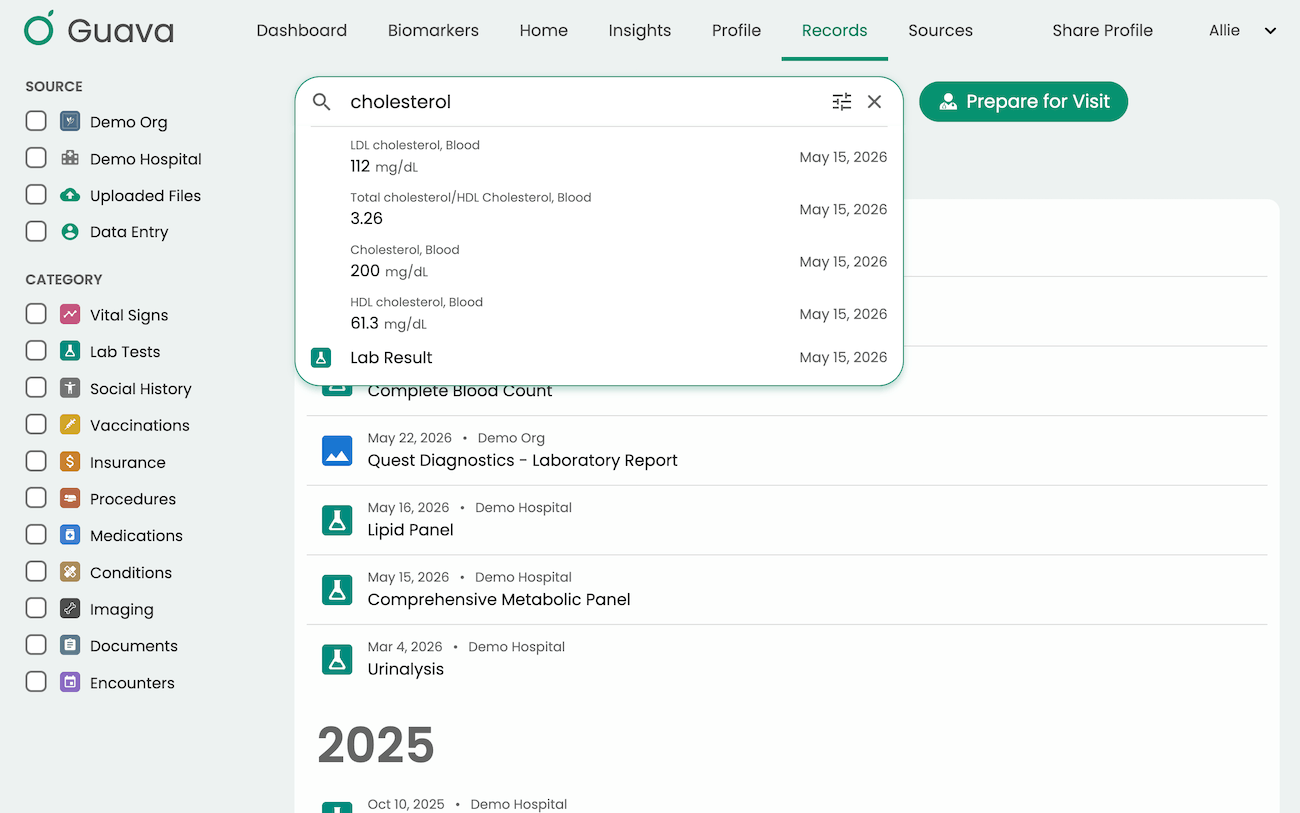
Records and EHR Connectivity: The Records tab consolidates each patient's full medical history from patients’ connected patient portals, uploaded documents, and manual entries. Labs, imaging, visit notes, and other records are automatically parsed and made searchable. In addition to Spruce, Guava also supports direct integrations with Elation, Hint, Athena, Cerbo, and InBody. When a patient's Spruce message references a past result, outside visit, or prior treatment, you can pull up the relevant record without leaving Guava.
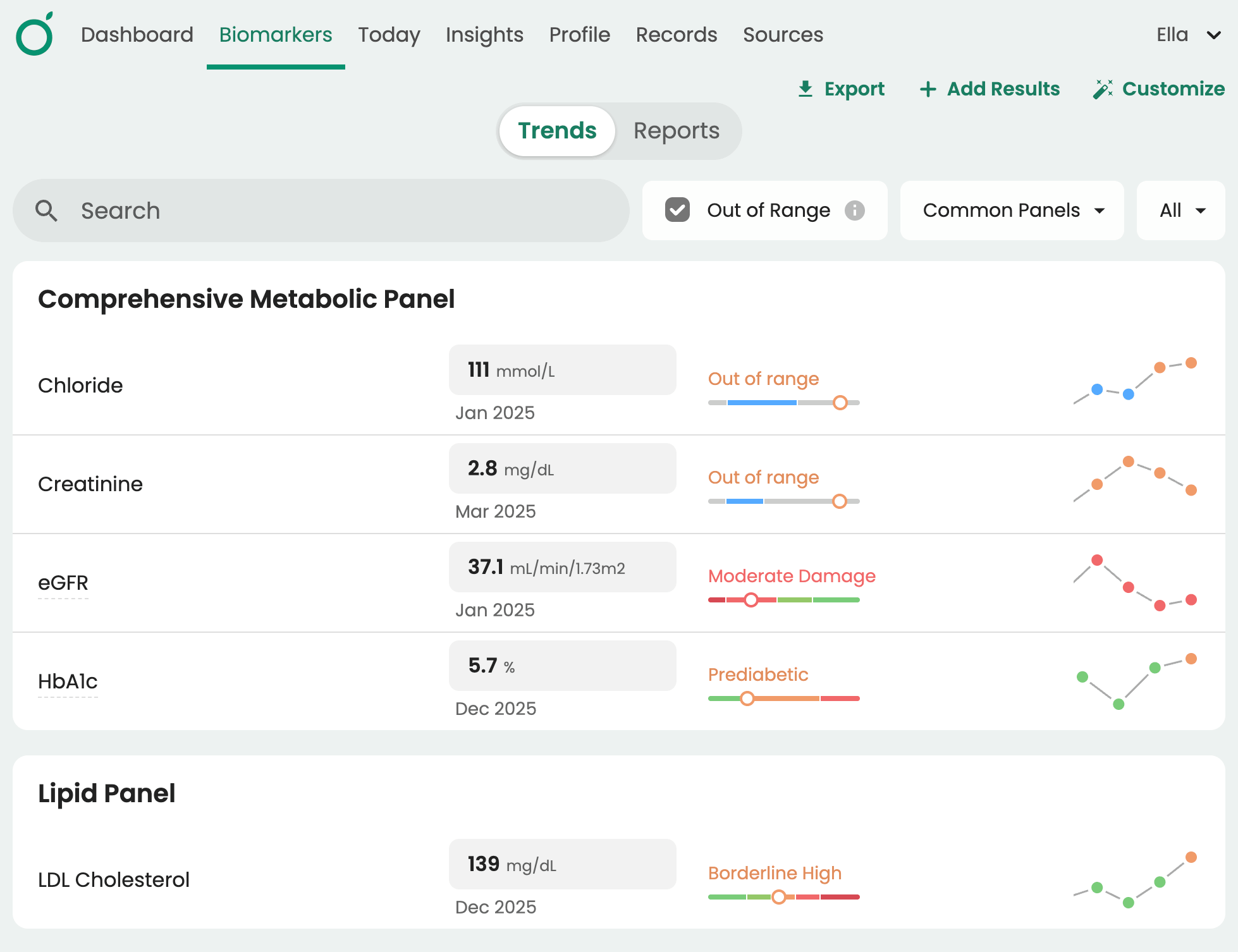
Lab Results: The Biomarkers tab gives you a unified, longitudinal view of lab results from every connected source, normalized across units for consistent visualization. You can set custom reference ranges for individual patients or patient groups, and organize results into custom panels by specialty or care focus.
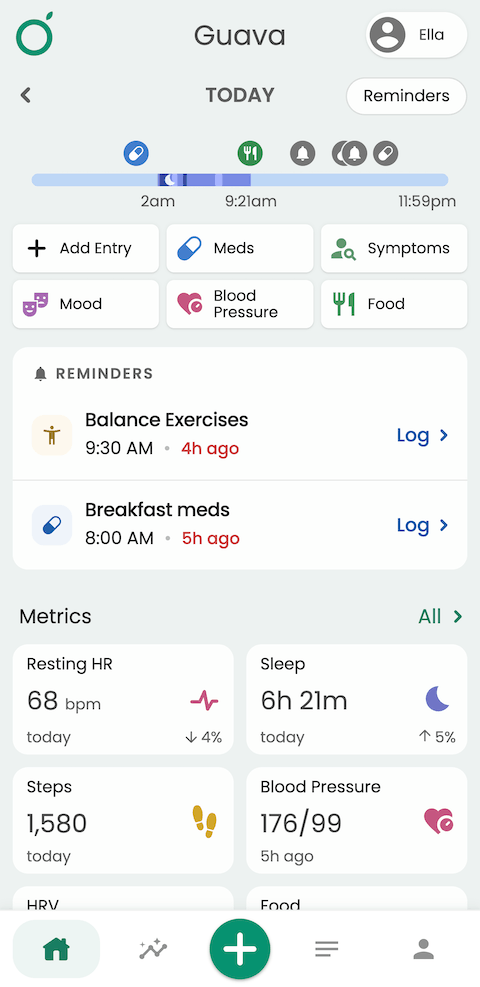
A Premium Patient Experience: The Guava app was designed as a consumer app first to help patients understand and manage their health. By pairing it with the Provider Dashboard, patients who receive Guava through their membership-based practice get the benefits of a well-designed, well-loved health app, combined with the guidance and personalized care they seek from your practice.
How to Enable the Spruce Integration in Guava
To set up the integration, use the following steps:
- Enable API Access: In Spruce, send a message to the "Team Spruce" conversation and ask to enable API access to connect to Guava (this requires the Spruce "Communicator" plan).
- Share Required Information: Once the Spruce team enables your API, go to the Integrations tab in Guava, select Spruce, and enter your API token and Access ID (copied from Spruce > Settings > Integrations & API > API Access).
- Link Patients: Guava syncs conversations for patients who have been linked to their Spruce contact. Once patients are linked, you will see their messages in Guava, both in their profiles and in the Messages tab.
Who This Integration Is For
- DPC and concierge practices already using Spruce for patient messaging
- Providers who want to review patient communications alongside clinical data like labs, wearables, visit notes, and other medical data before visits
- Practices looking to reduce platform-switching during chart prep and patient follow-up
FAQs
Does the Spruce integration work if I'm already using Guava with Hint, Elation, Cerbo, or another EHR?
Yes. The Spruce integration works alongside any EHR integration in Guava. Messages appear in each patient's profile regardless of which EHR your records come from.
Can I respond to patients from within Guava?
Not yet. Guava links directly to the conversation in Spruce, so you can respond there in a new tab. The ability to respond from within Guava is planned for a future update.
Can my patients see their Spruce messages in the Guava app?
Not currently. Patient-facing access to Spruce messages in the Guava app is on the roadmap and will be added in a future release.
Can I search messages for a specific patient?
Yes. Guava lets you search Spruce messages for a patient directly from the Dashboard tab in their profile or from the Messages tab for your organization.
Can Guava AI use my Spruce messages?
Yes. Because messages are available in the patient's profile alongside their health data, Guava’s HIPAA-compliant AI can reference them. You can ask the AI to help draft a response, summarize a conversation over a given time period, or connect what a patient has been reporting in messages with trends in their records.
Is the Spruce integration secure?
Yes. Guava complies with HIPAA and federal and state laws to keep patient data secure. A standard Business Associate Agreement is available for providers with HIPAA obligations. For more information, visit our privacy and security page.
The Bottom Line
With Guava and Spruce together, you spend less time switching platforms and more time delivering informed, connected care.
If you have questions about setting up the integration or would like a walkthrough, reach out to our team.
Contact us to schedule a demo or sign up here to get started for free.